Watch Quick Video
Website Re-Order in Odoo App
The Website Re-Order feature in Odoo allows customers to quickly repeat their previous purchases directly from the website without going through the entire buying process again. This improves user experience and significantly speeds up the checkout process.
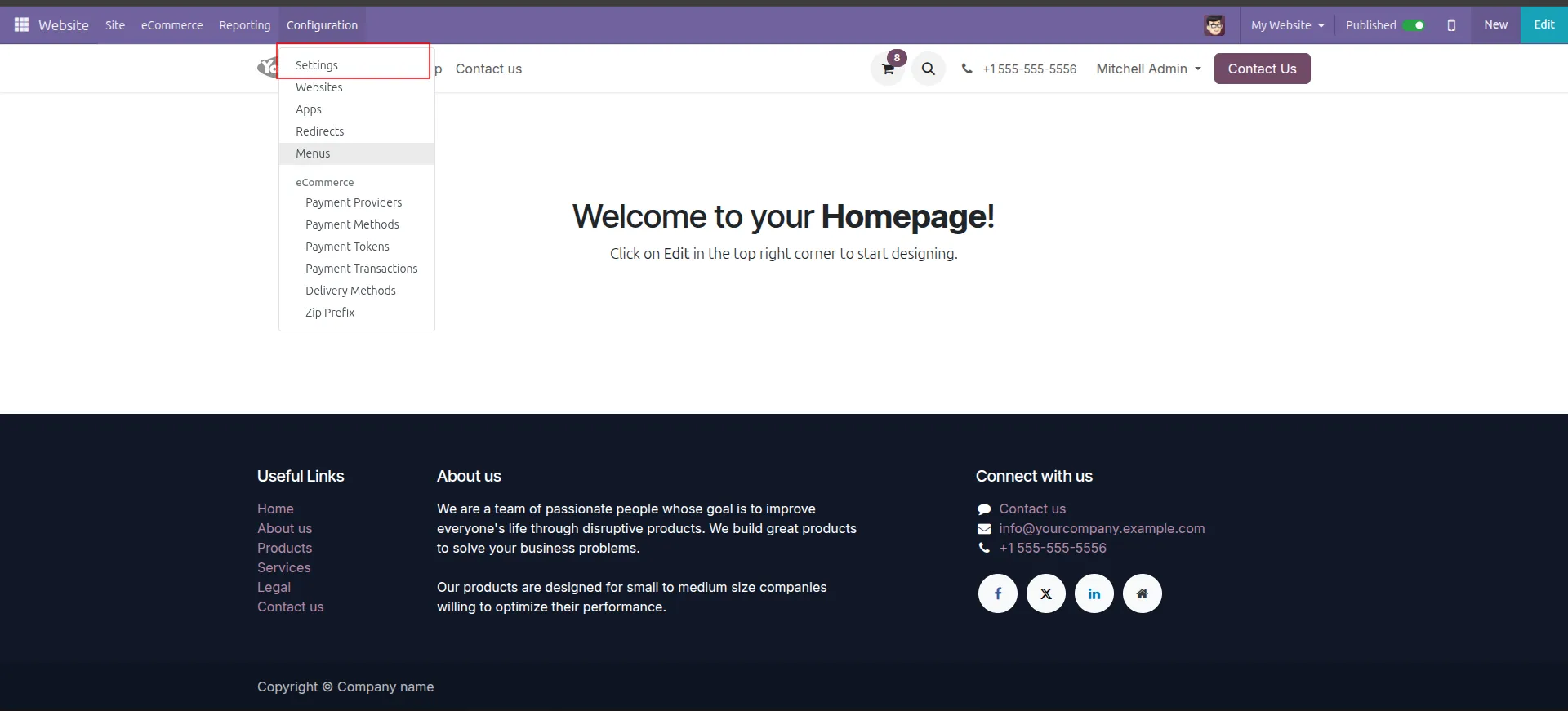
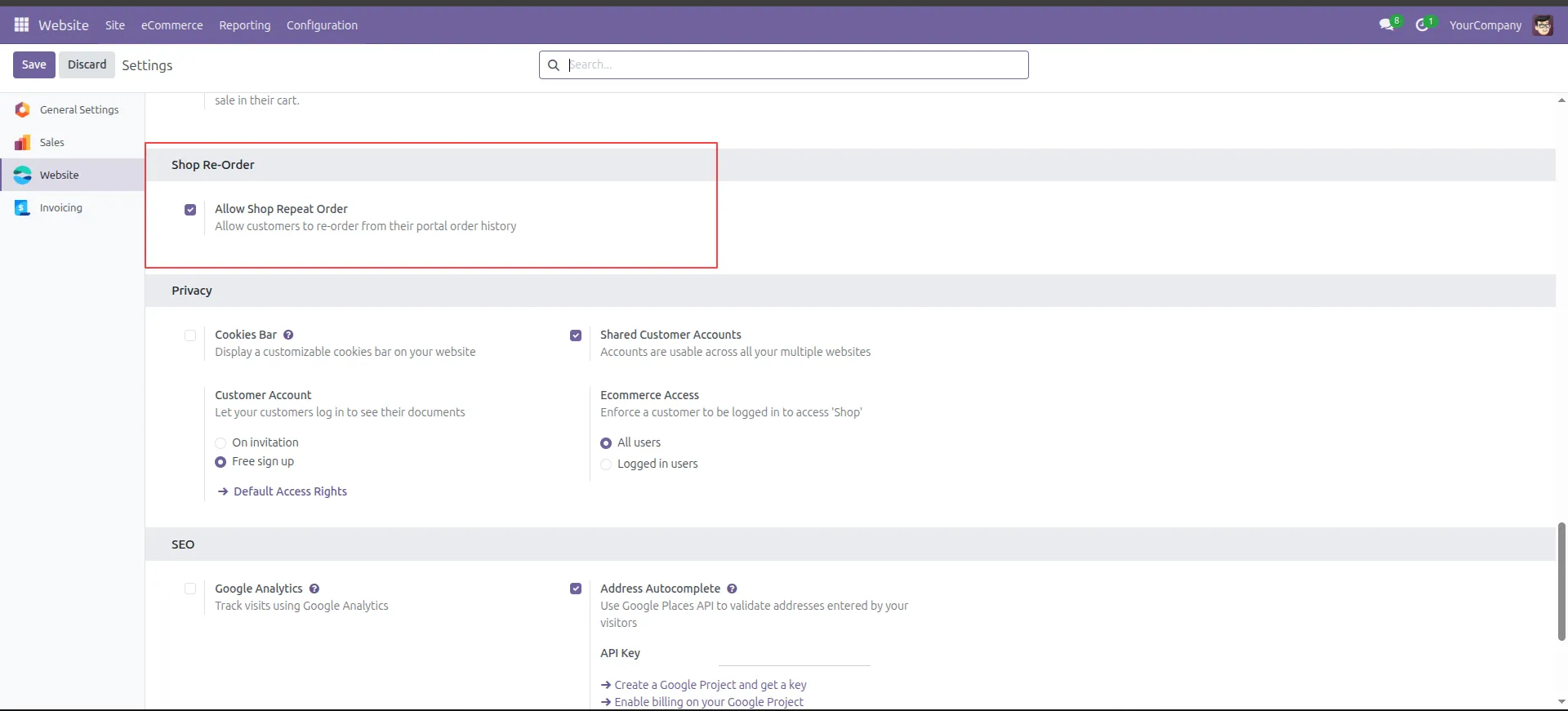
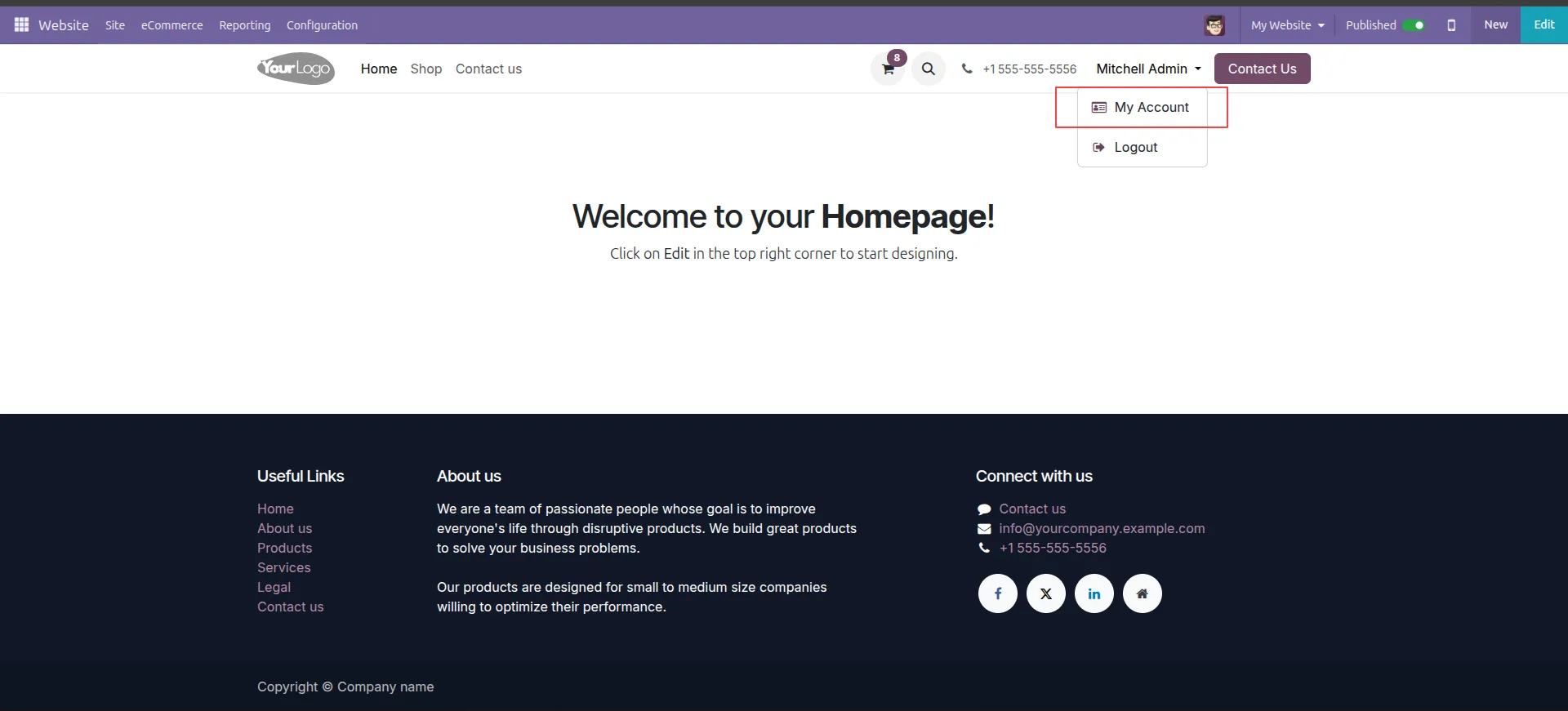
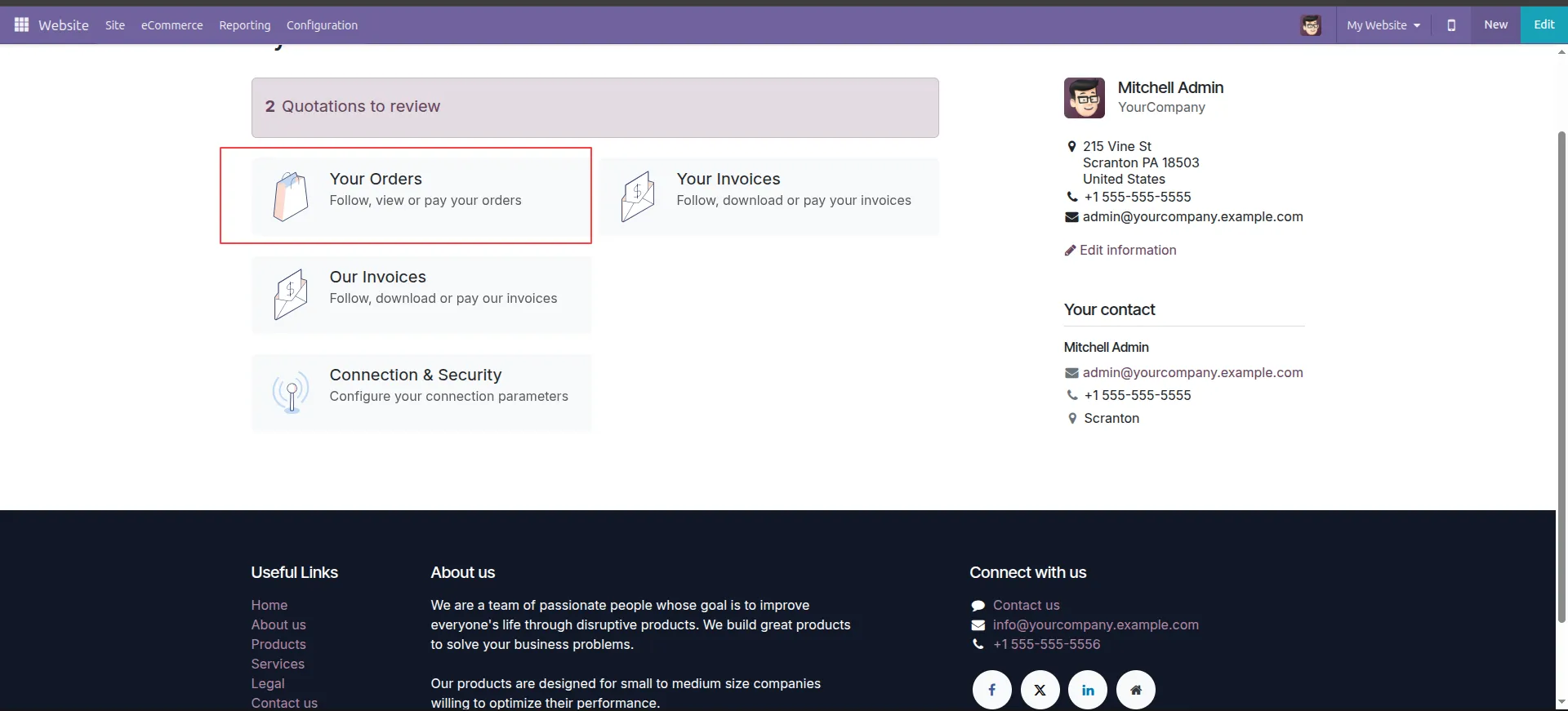
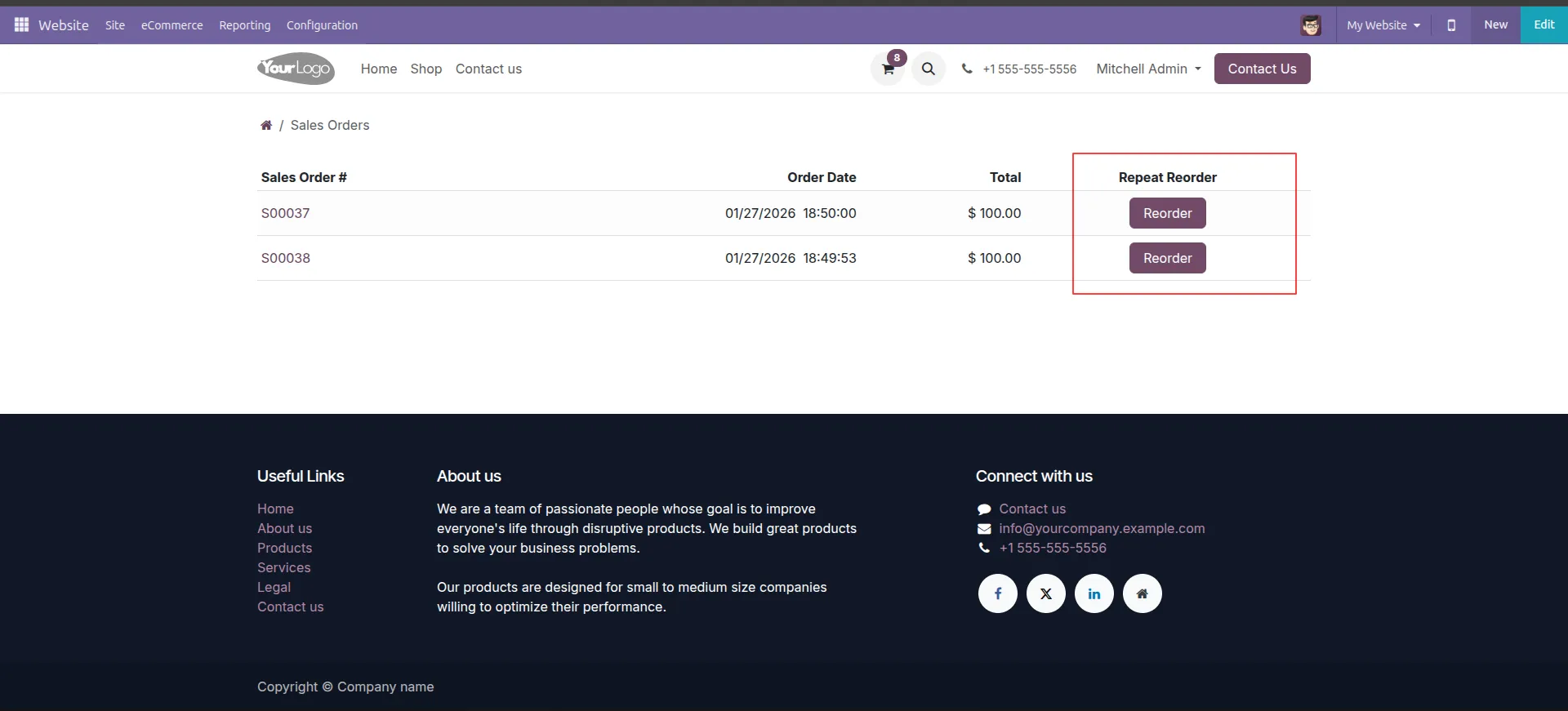
Once the admin enables the Allow Shop Repeat Order option from website settings, customers can access a Reorder button inside My Account → Sale Orders. By clicking this button, all products from the previous order are automatically added to the cart with the same quantities.
Customers can review the cart, update quantities, add or remove products if needed, and proceed to checkout. After successful payment, the reorder is confirmed and synced with the backend system, ensuring proper order tracking and management.
This feature is especially useful for repeat buyers and B2B customers who frequently place similar orders.
Key Features
1. Upon creating new sale order, in the sale history tab, find all the past sale orders of customer in the current order.
2. Click the copy button to add the products of past sale order to the current one.
3. You can view all the products of past sale order. Also new products can be added to current order.
4. Click on view button to view the products of past sale order.
5. In the wizard, the products and details of the past sale order can be viewed.
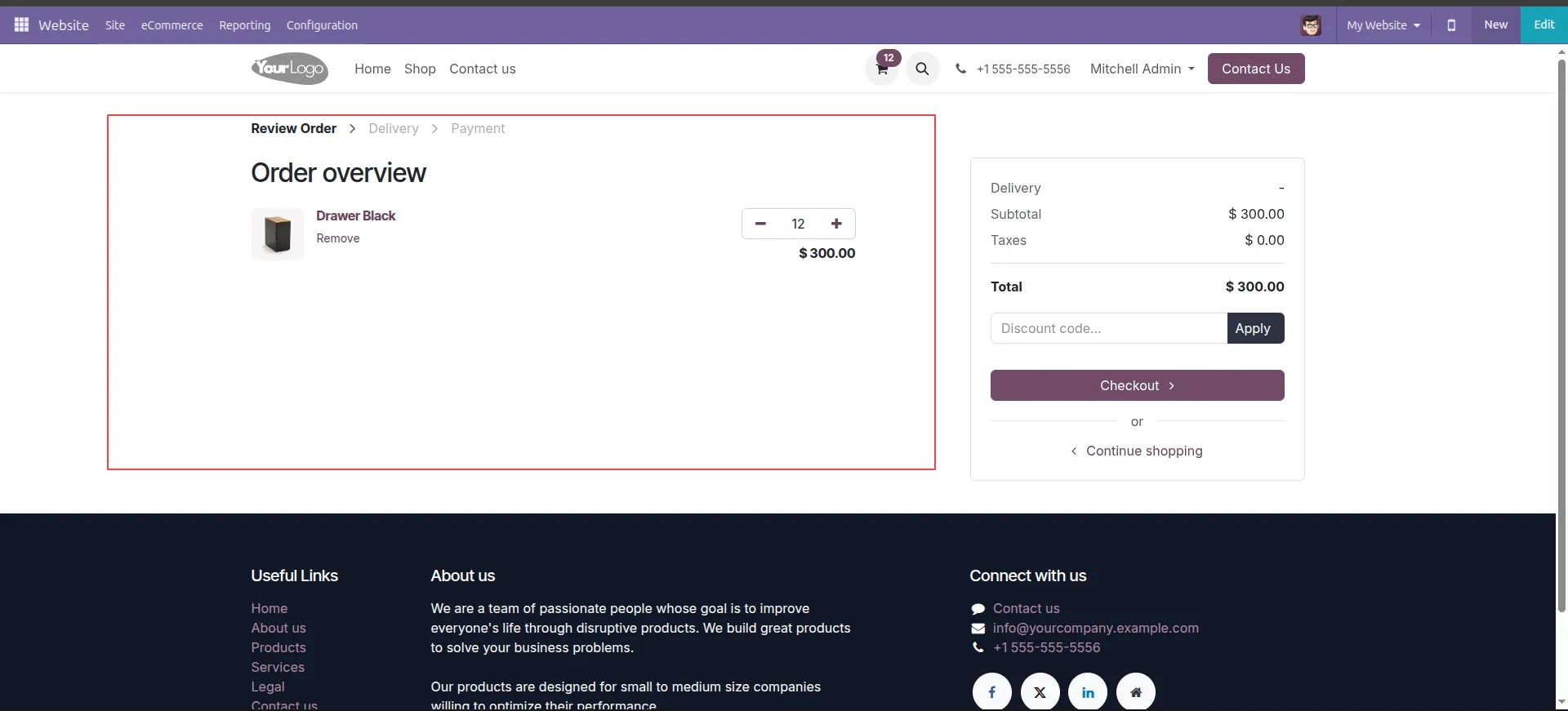
6.Review your cart and click Process Checkout to move forward.
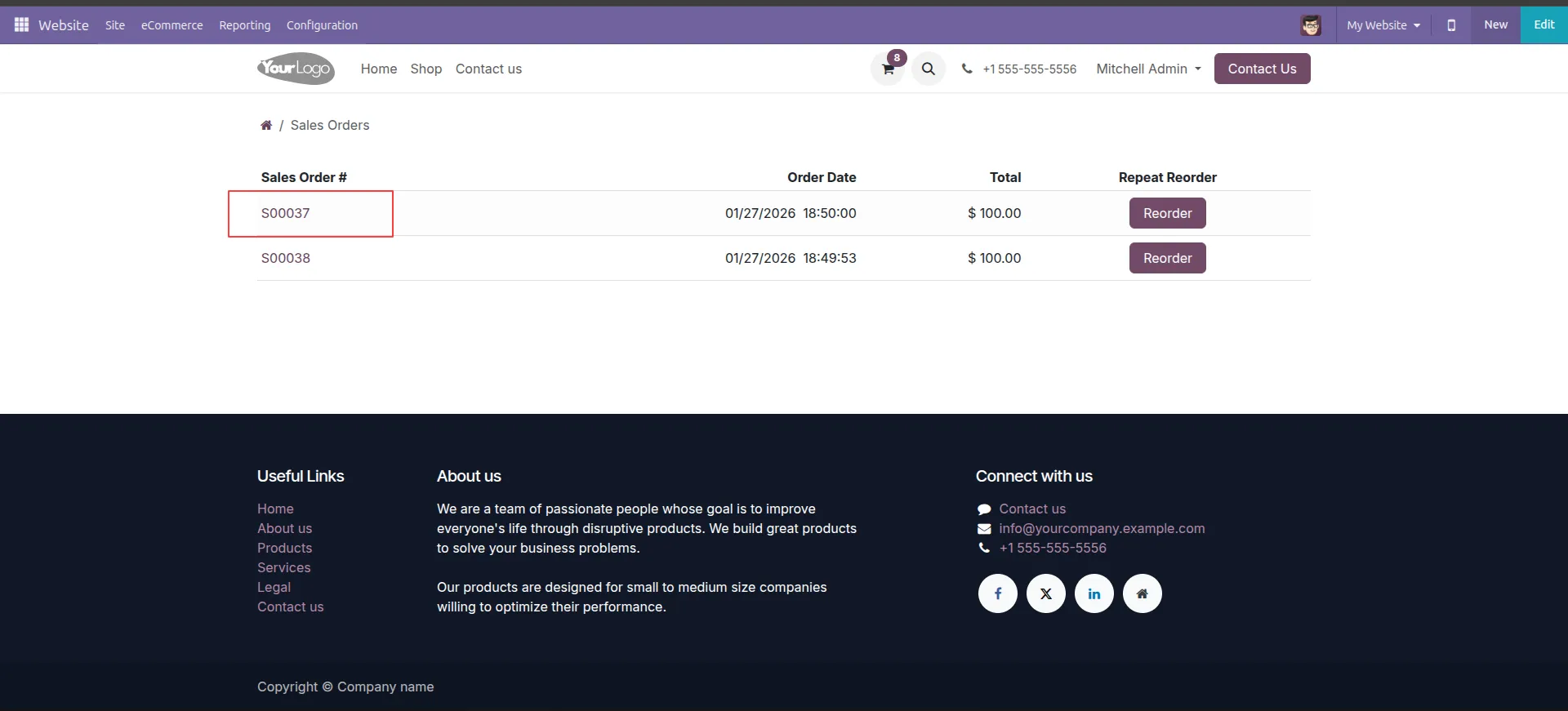
7.Click on a specific Order Number if you want to see the details before re-ordering.
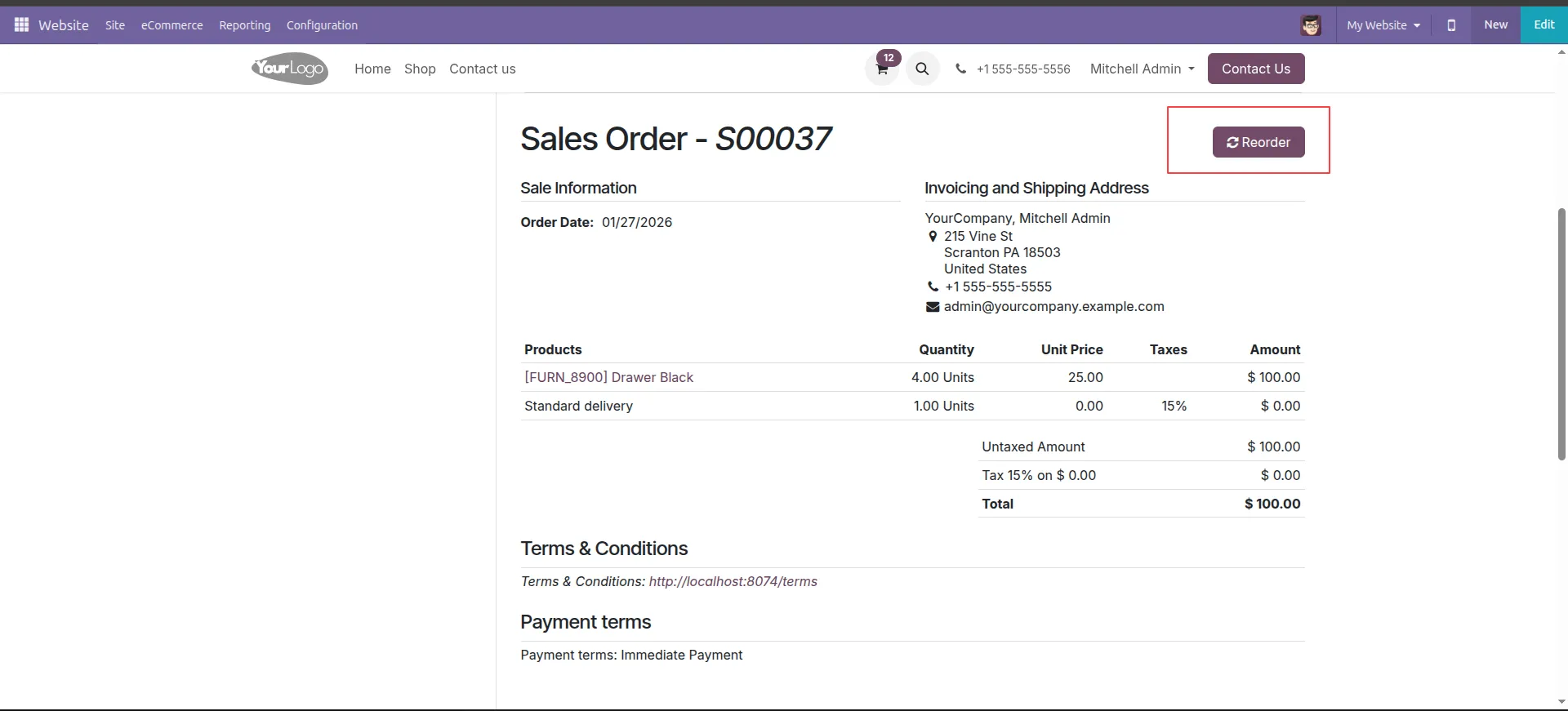
8.Inside the order details page, click the Reorder button at the top right.
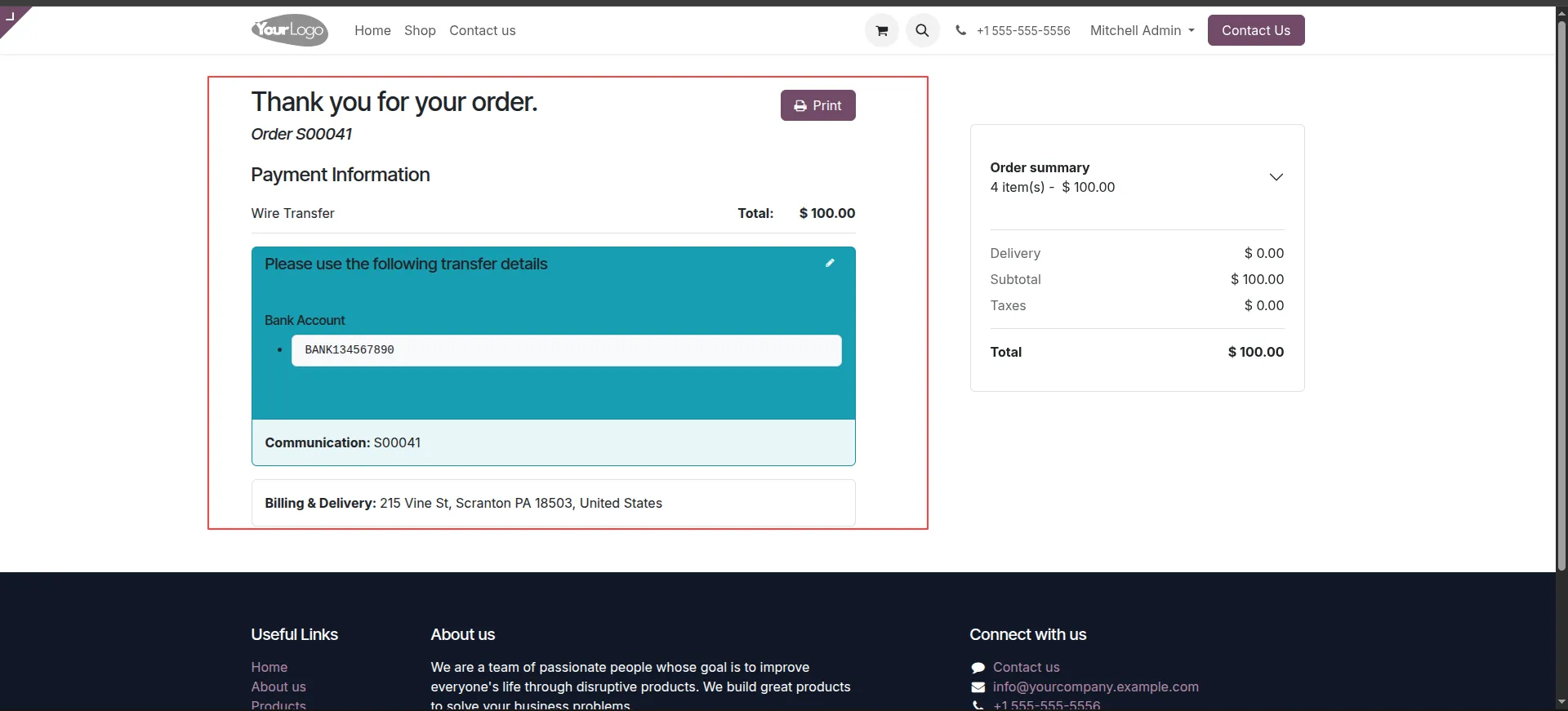
9.Follow the payment instructions to complete your new order (e.g., S00050).
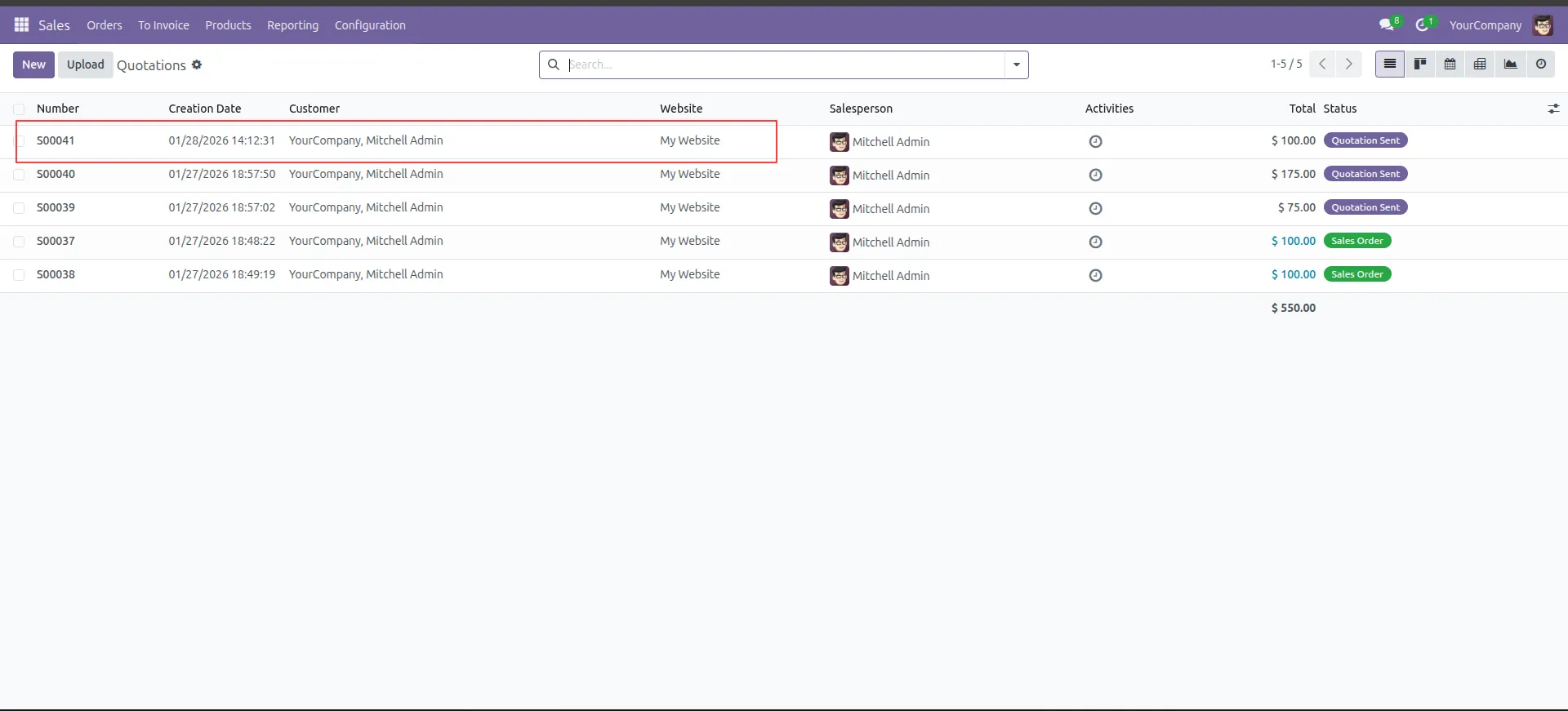
10.Go to the backend Sales menu to see the newly created order in the list.
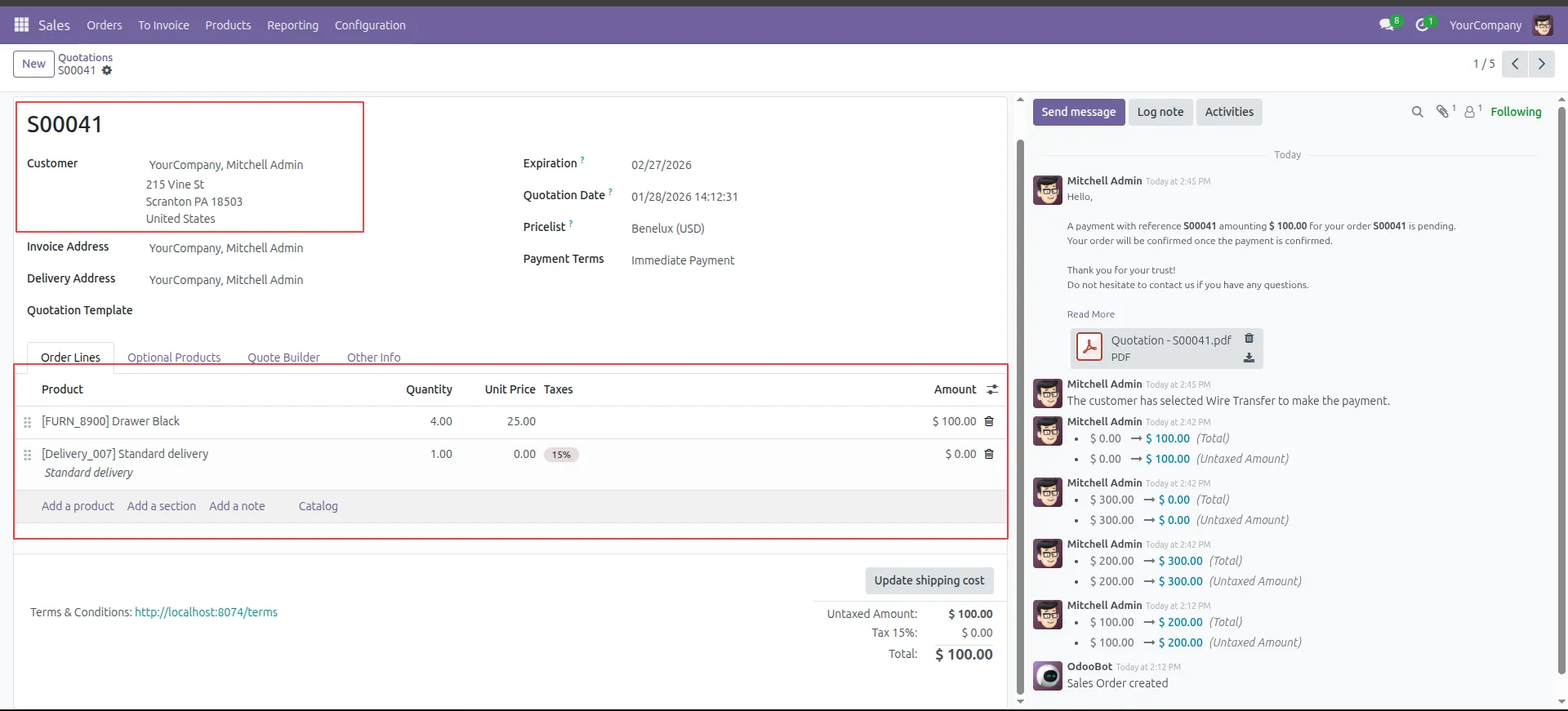
11.Open the new order (S00050) to verify the customer details and products are correct.
Frequently Asked Questions
How does the Website Re-Order Odoo module work?
Once the admin enables Allow Shop Repeat Order in website settings, customers can click the Reorder button in My Account → Sale Orders to automatically add previous products and quantities to their cart.
Can customers modify products or quantities when reordering?
Yes, after clicking Reorder, customers can update product quantities, add new items, or remove products before checking out.
Are reorders tracked in the backend Odoo system?
Yes, all reorders are instantly synchronized with the backend sales orders, ensuring proper tracking and order management.
Does this module support one-click reorders?
Yes, the One Click Reorder Odoo feature allows customers to instantly add previous orders to their cart for faster checkout.
Can this module save time during checkout?
Absolutely! By automatically refilling carts with past orders, customers save time and can complete checkout faster.
Who benefits from this module?
This module is ideal for returning customers, B2B clients, or anyone placing recurring orders via the Odoo website.
Our solutions focus on your problems
- Odoo Implementation
- Odoo Customization
- ERP Development and Implementation
- Odoo Ipass Cloud
- AI for Odoo
- Odoo Apps
- Aws Marketplace Products
- Business Engines
Our Pricing includes User Manual, 90 Days Support (Monday-Friday 10am to 7pm IST) and One time Setup
• Works & tested on standard installations of Odoo with no third party apps,
• Free support only for odoo installations with no third party apps,
• Paid support available for Odoo installations with third party apps.

Prefortune is a Odoo Official Partner, Odoo Development company. Our philosophy is to use Open Source tools and technologies to provide cost effective and green solutions for our customers.
Prefortune Technologies LLP is working on web development, Mobile development, and Odoo ERP.
If you need any help or want more additional features, you may contact us through:
Alternative Products
These other products might interest you