Watch Quick Video
Odoo Sale Order Checklist Module
The Odoo Sale Order Checklist Module helps businesses streamline their sales and quotation process by adding structured checklist management inside Odoo. With this Odoo sales checklist module, users can create custom checklist templates and organize them into reusable formats for different sales workflows.
These templates can be attached directly to quotations and sales orders, making it easy to use a checklist for quotation in Odoo or a checklist for sale order Odoo without manual repetition. This helps teams follow a more consistent process and avoid missing important steps before order confirmation.
The module allows sales teams to track checklist progress in real time and update item status using simple actions such as Complete or Cancel. This improves visibility and makes the Odoo sales workflow checklist easier to manage across the full sales cycle.
It also supports multi-company functionality, allowing businesses to create global templates for all companies or restrict templates to specific companies for proper data separation. This makes the module practical for organizations managing multiple entities in one Odoo environment.
Users can also download and print checklist reports in PDF format, making it easier to review completion details directly from the backend. For businesses looking for a reliable custom checklist in Odoo sale order, this module offers better control, clarity, and process efficiency.
Key Features
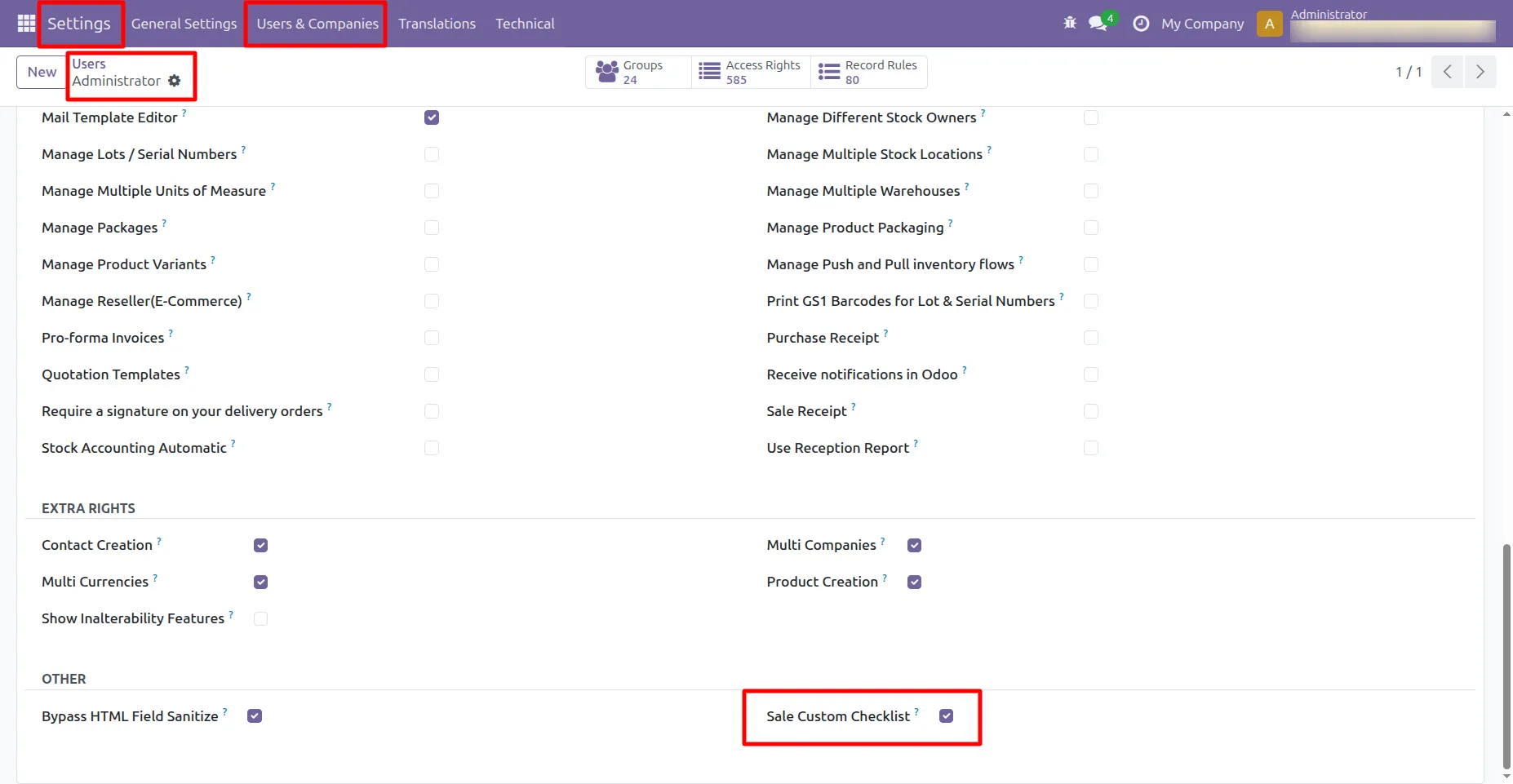
1. [TURN ON DEVELOPER MODE] Then Go to Settings -> User & Companies -> Select user -> In Access Rights -> Other ->Turn ON Sale Custom Checklist
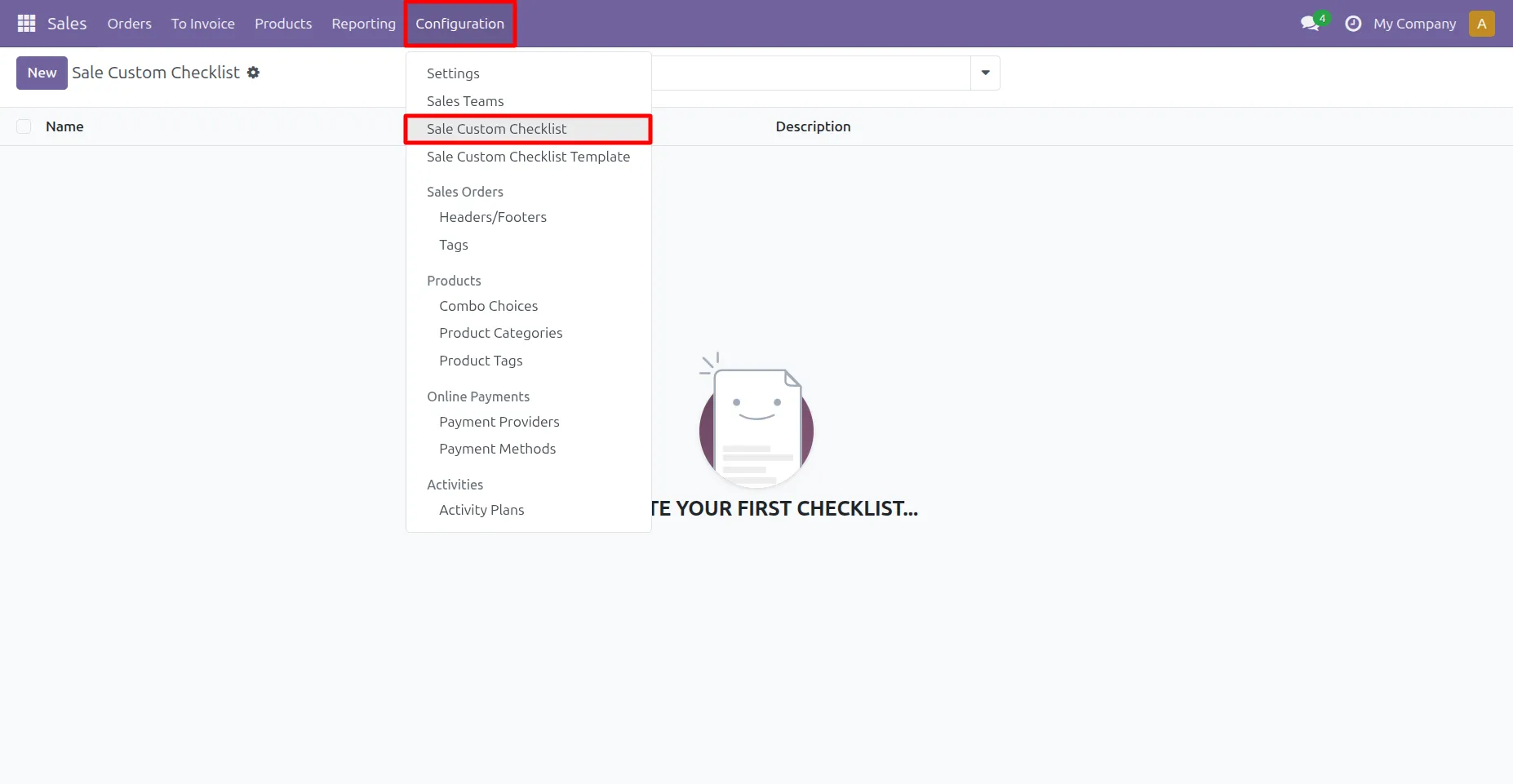
2. Go to Sale -> Configuration -> Sale Custom Checklist menu
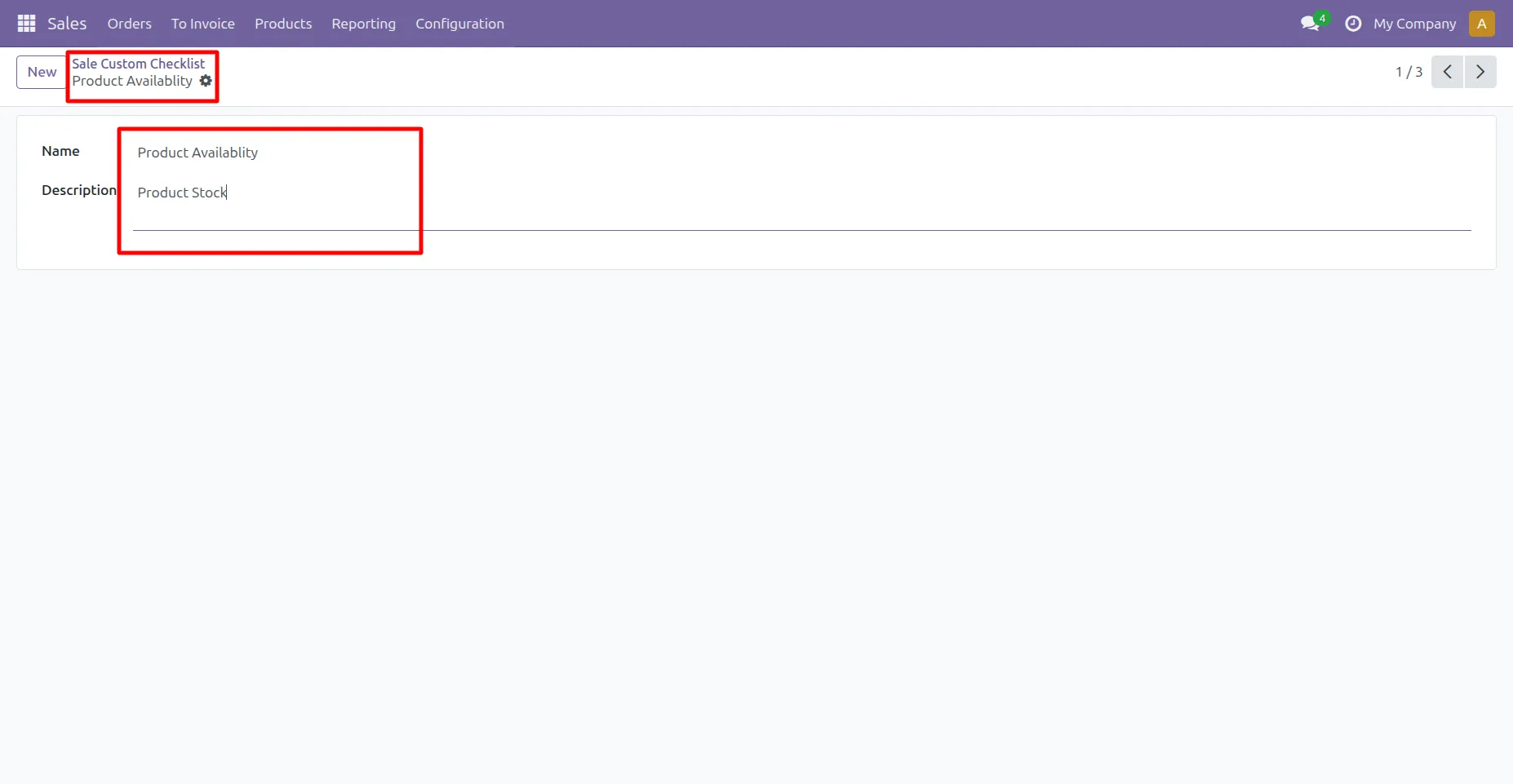
3.Sale Custom Checklist menu in that create Sale checklist with description.
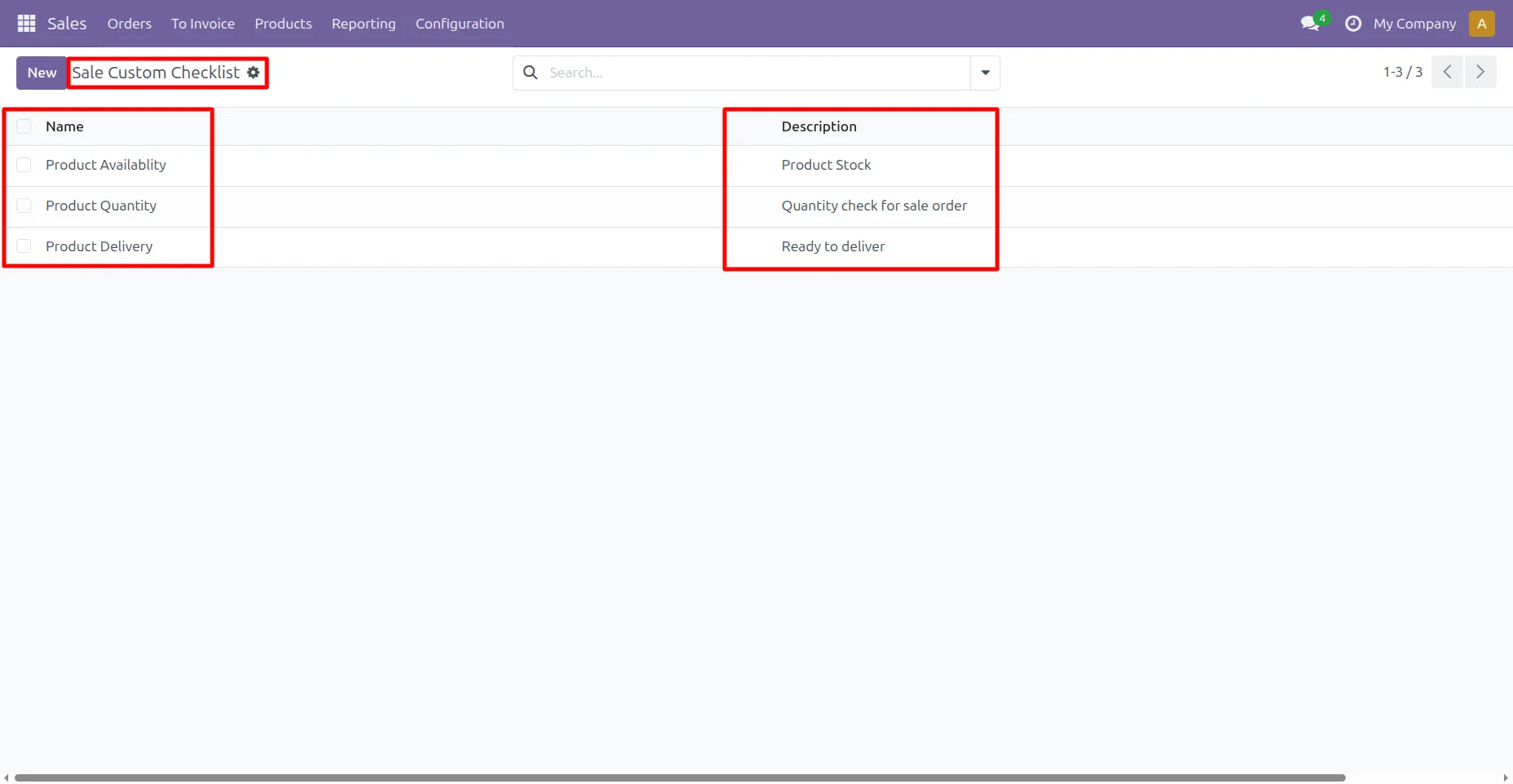
4.Sale checklist list view looks like this.
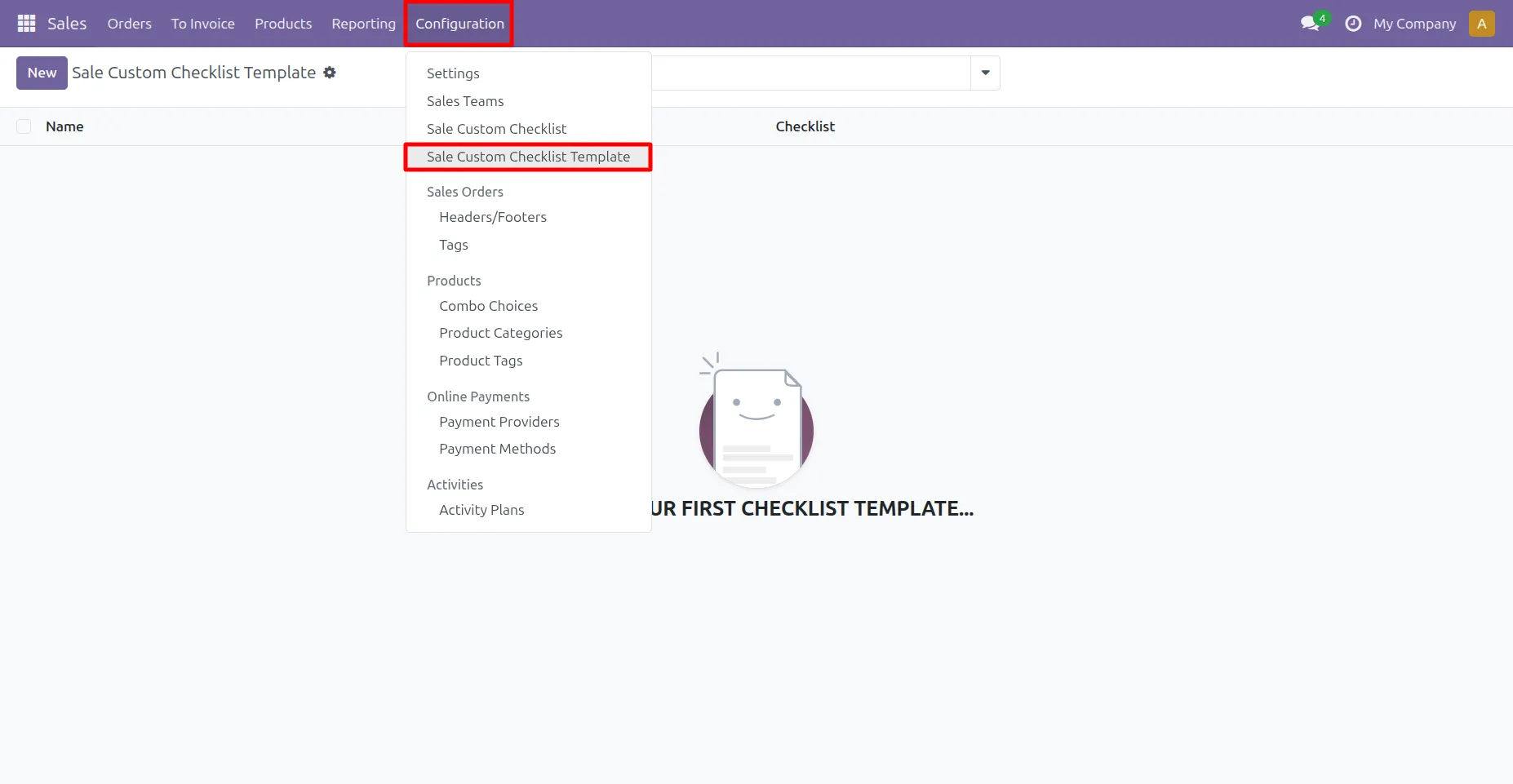
5. Go to Sale -> Configuration -> Sale Custom Checklist Template menu
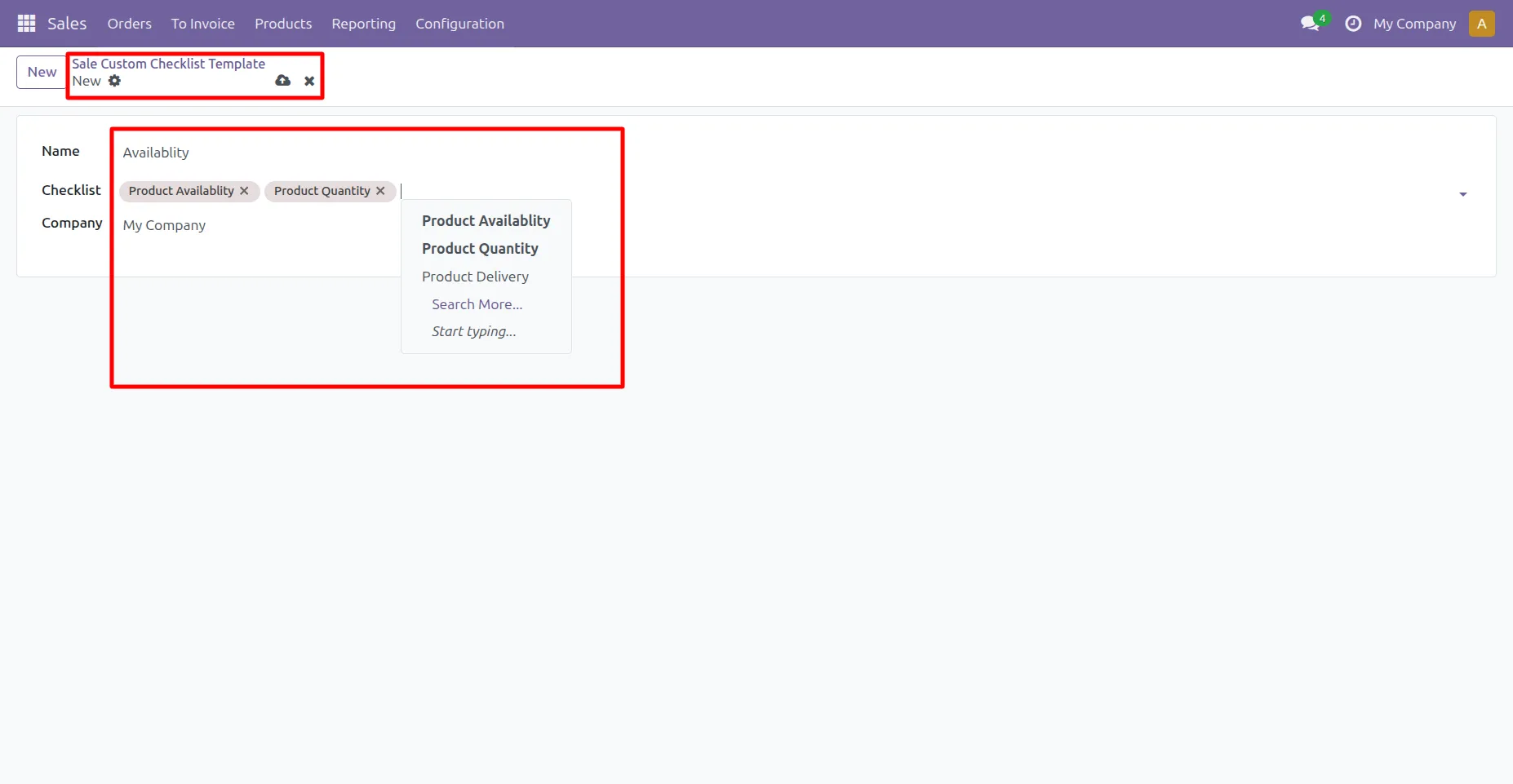
6. User can create sale checklist template and select multiple checklist template.
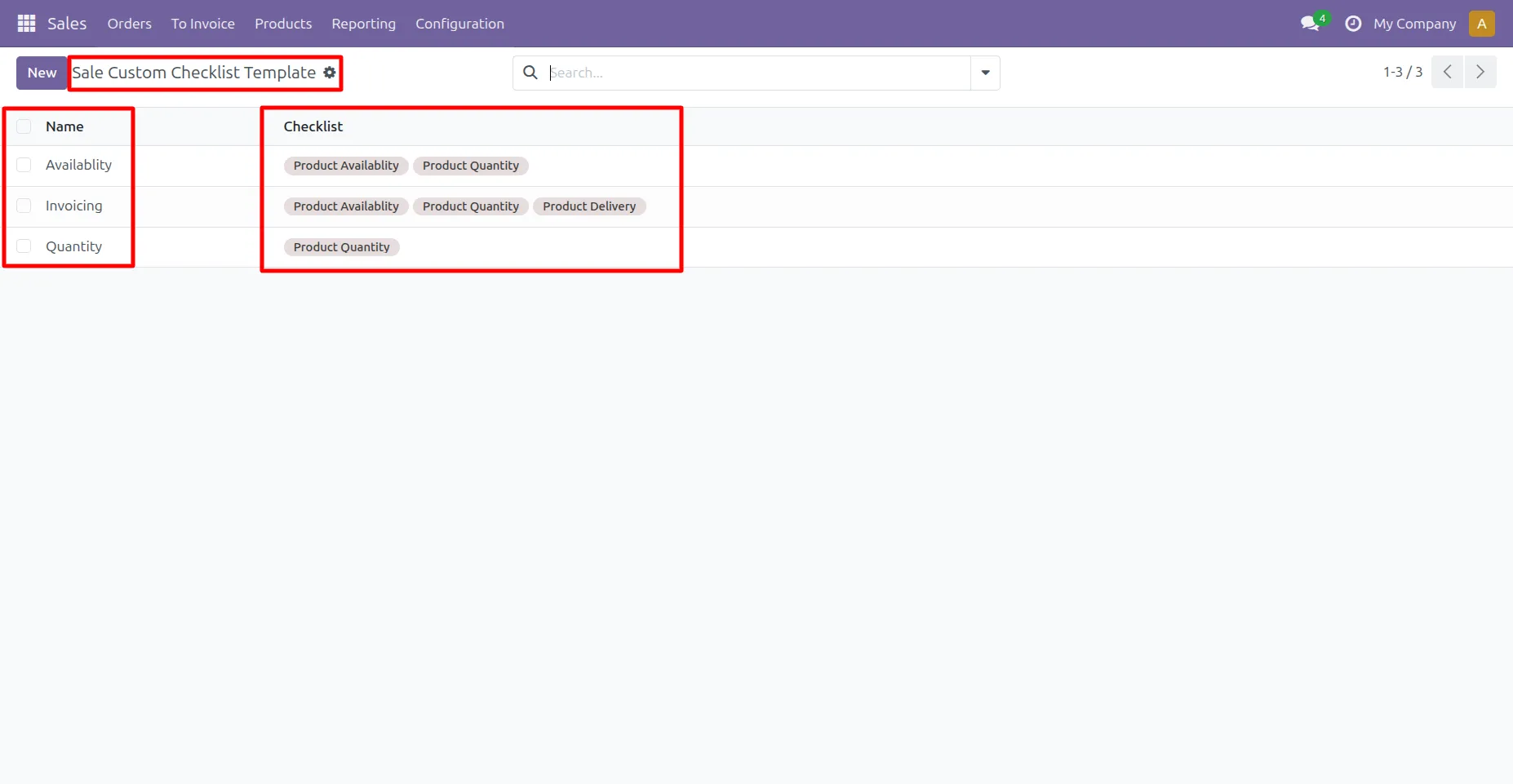
7. Sale checklist template list view looks like this.
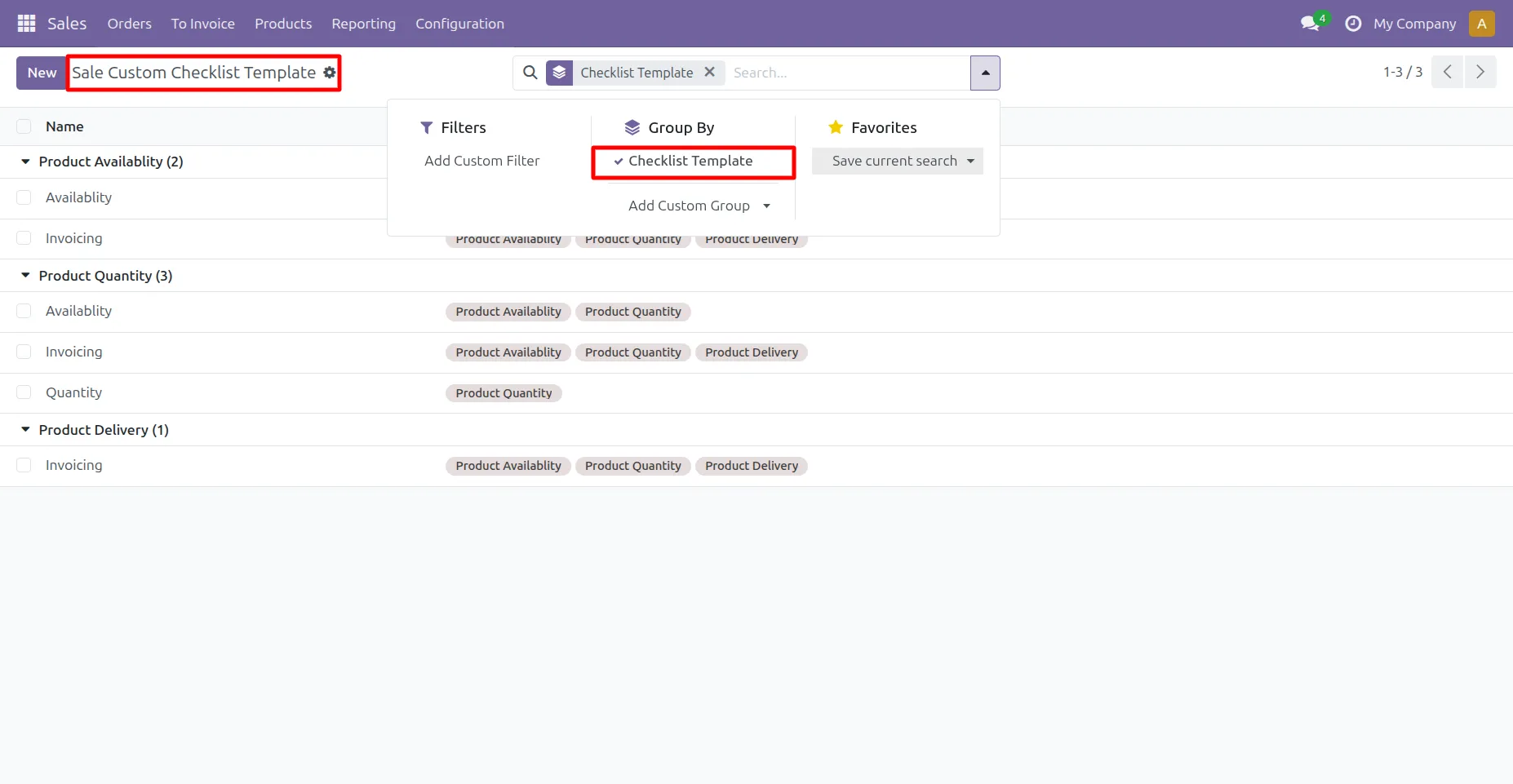
8. User can group by checklist templates.
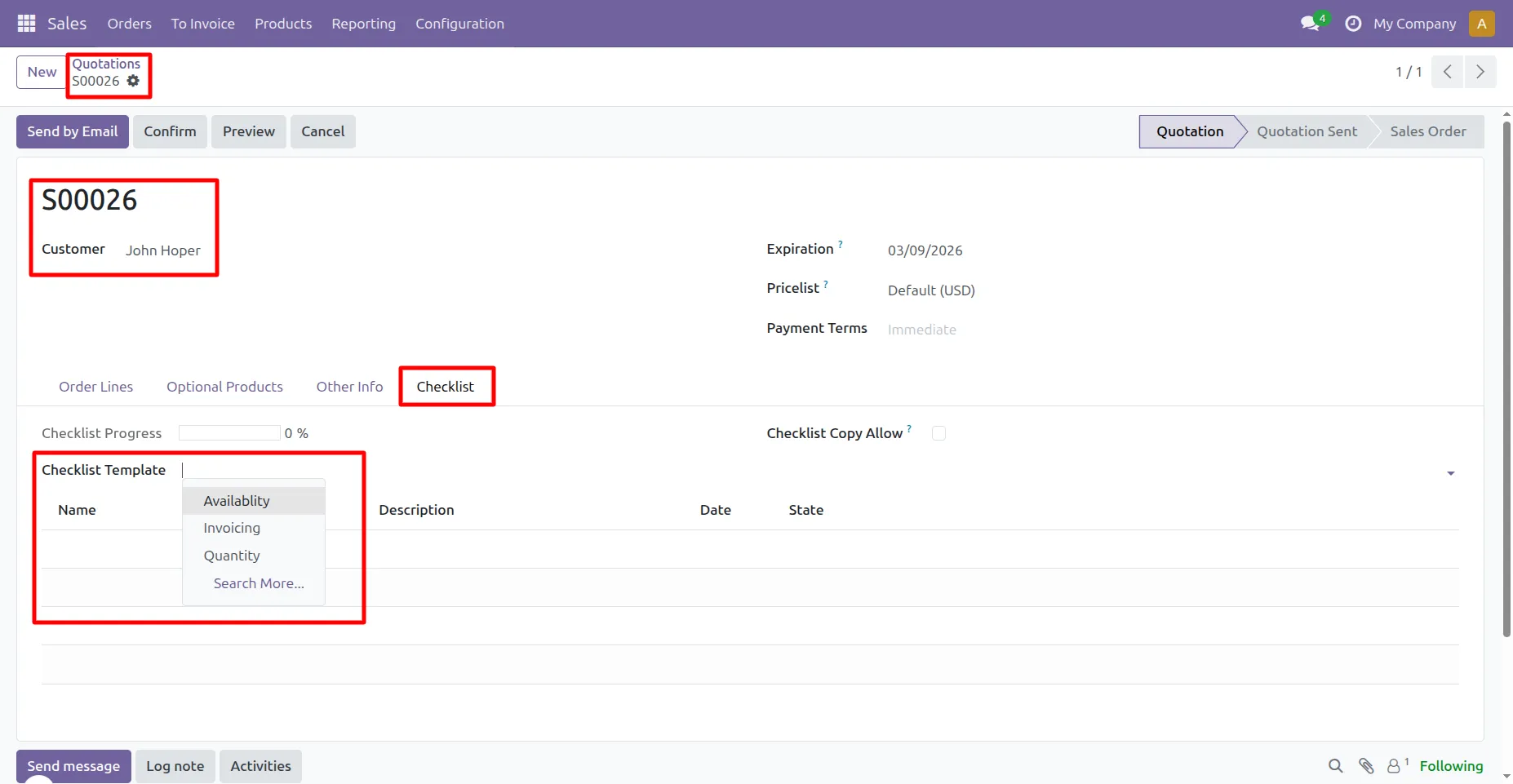
9. Go to Quotation and under 'Checklist' tab user can select multiple sale checklist template for that quotation.
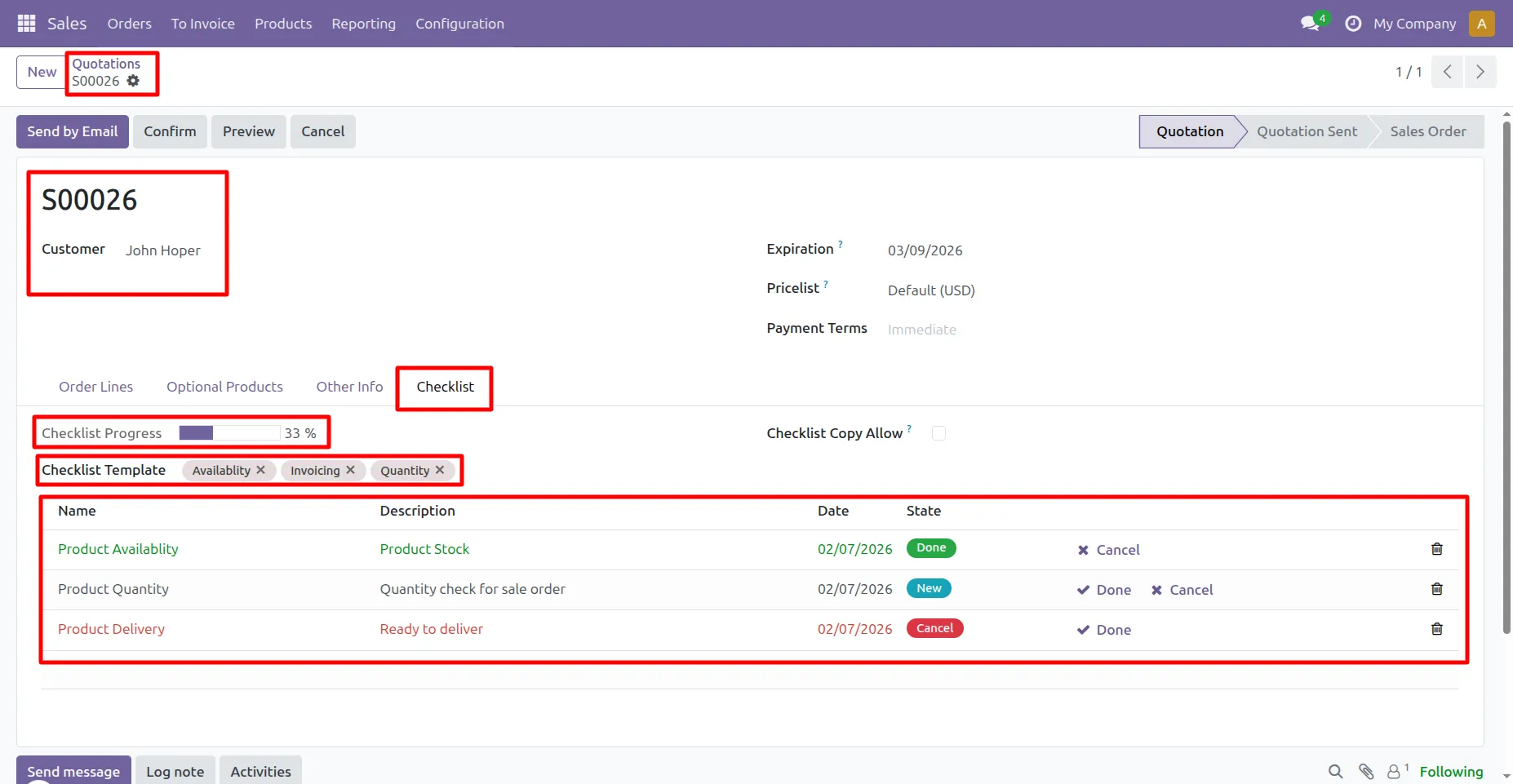
10. When user select sale checklist template, its record added by default. Click on check ✓ icon to complete checklist and cancel ✘ icon to cancel checklist.
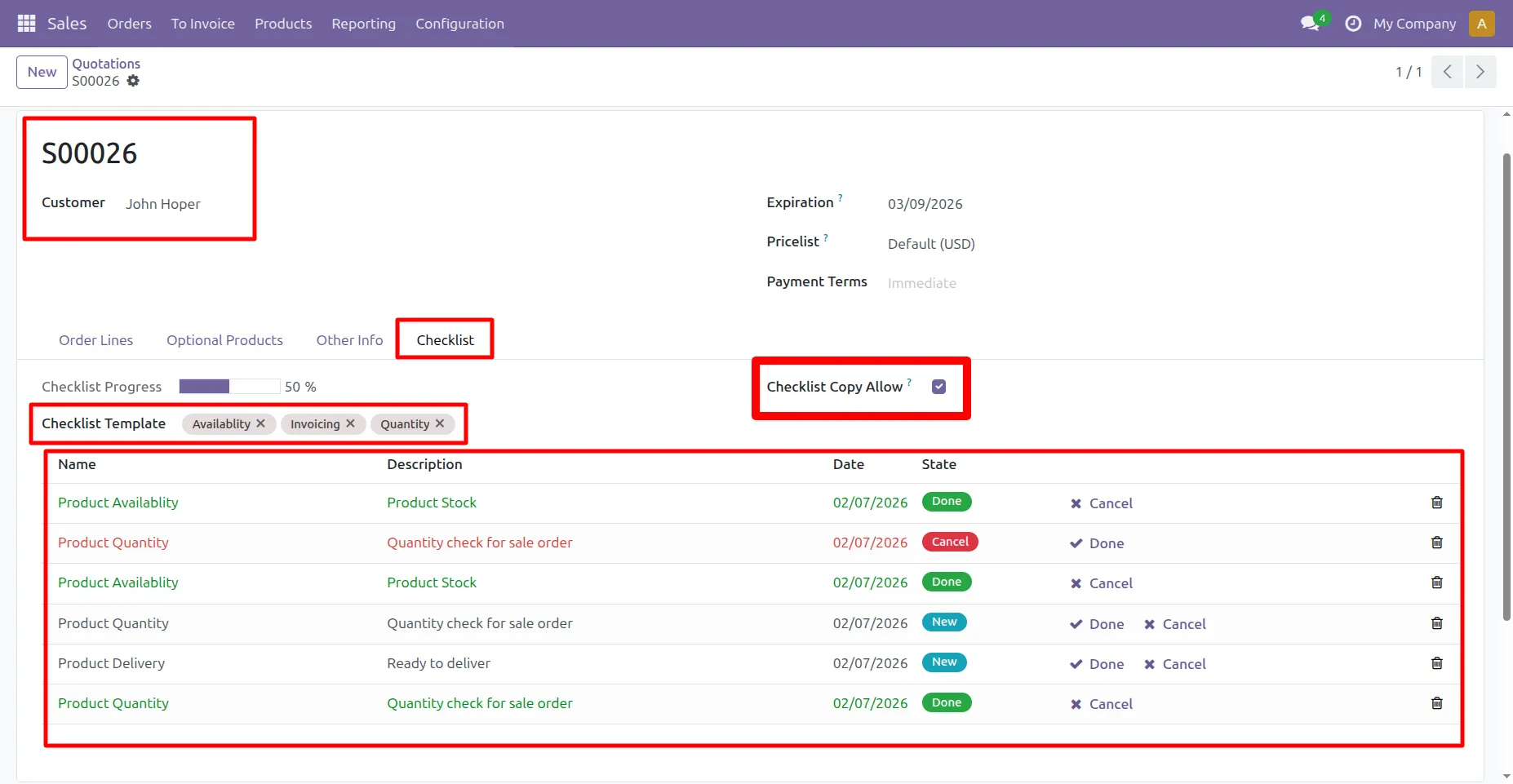
11. By checking "Checklist Copy Allow" you can add the same checklist item multiple times if it belongs to different templates.
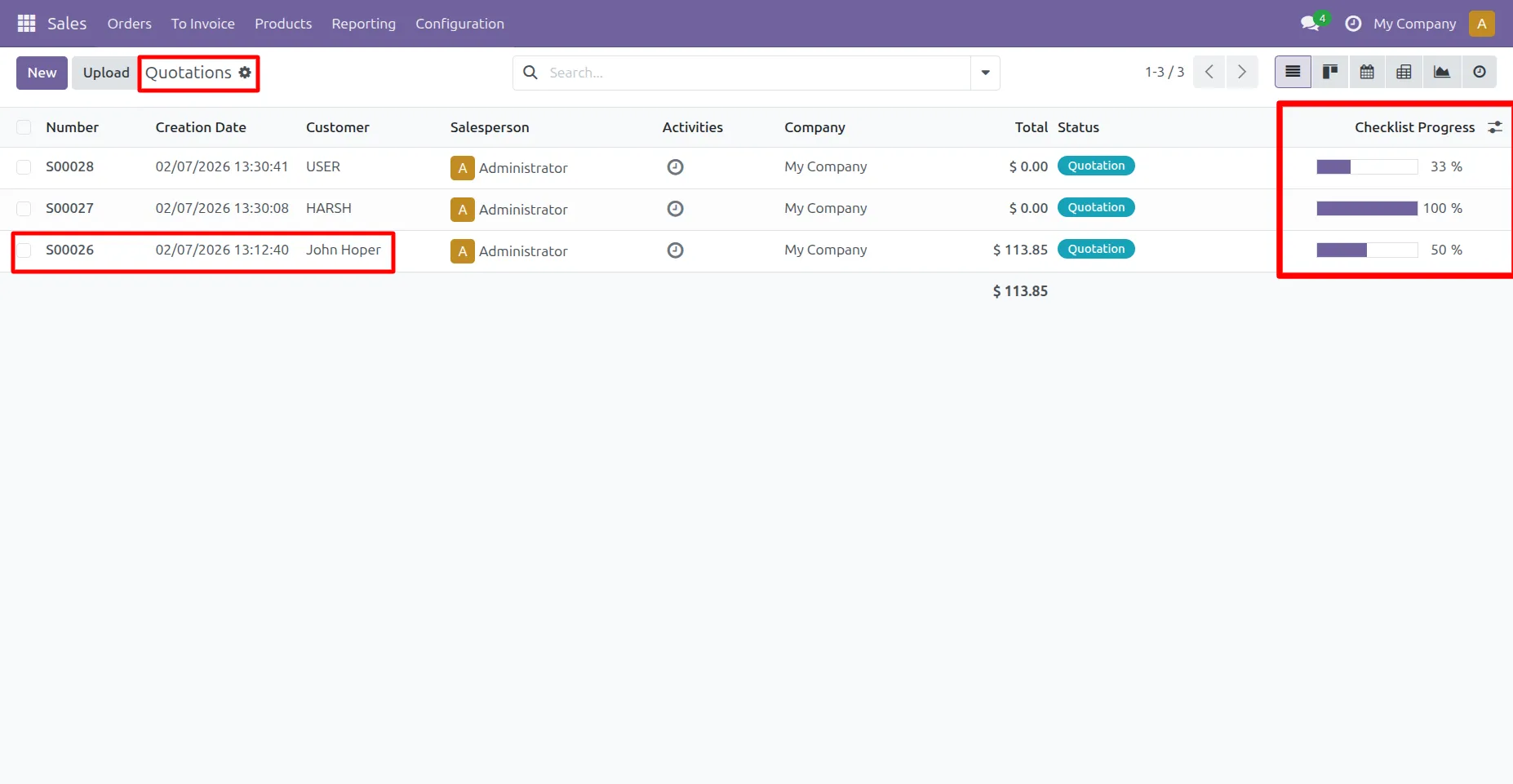
12.Go to Sale -> Quotation ->User can see checklist progress percentage in List view.
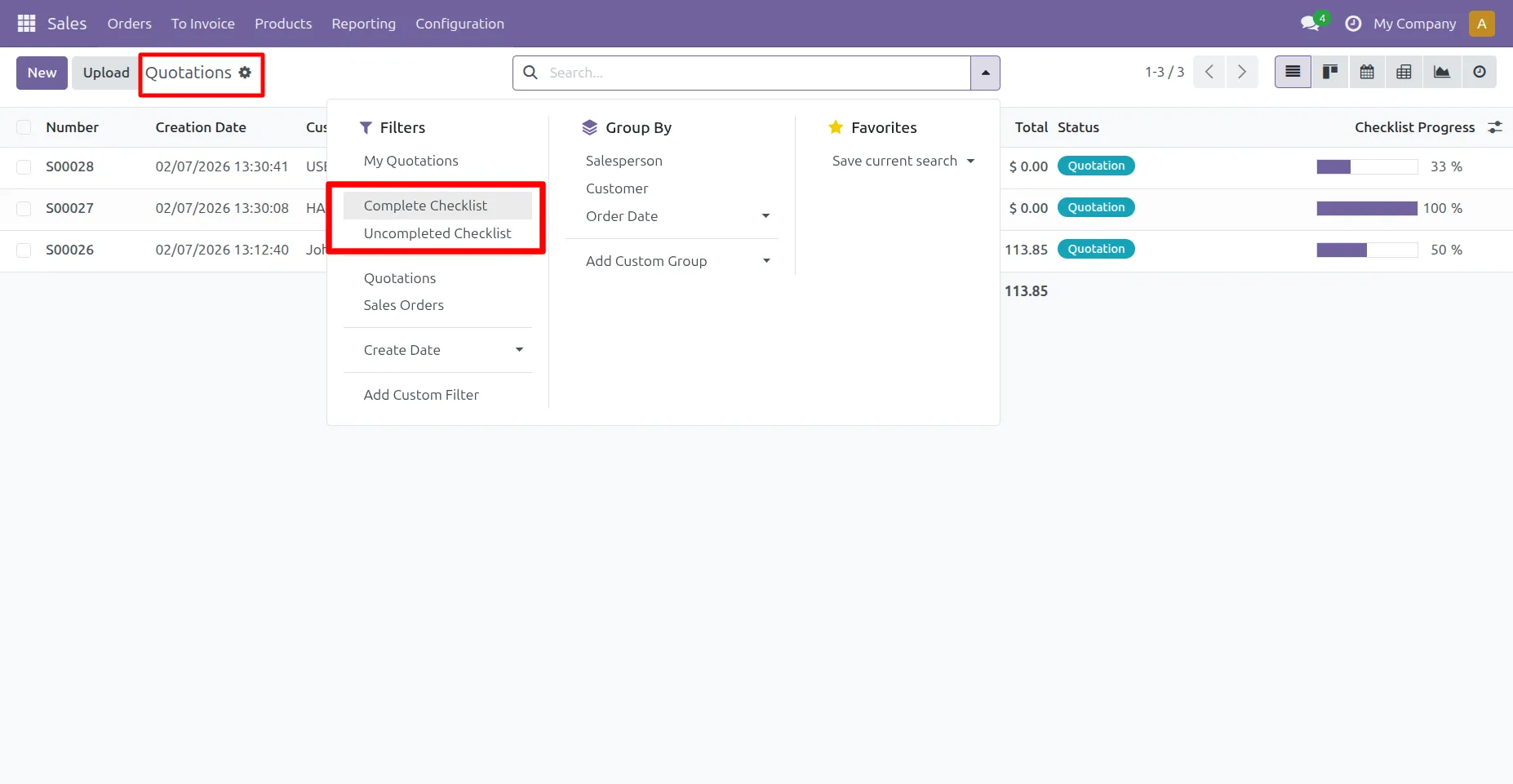
13. Checklist progess percentage on list view, User can filter checklists by Complete Checklist / Uncompleted Checklist.
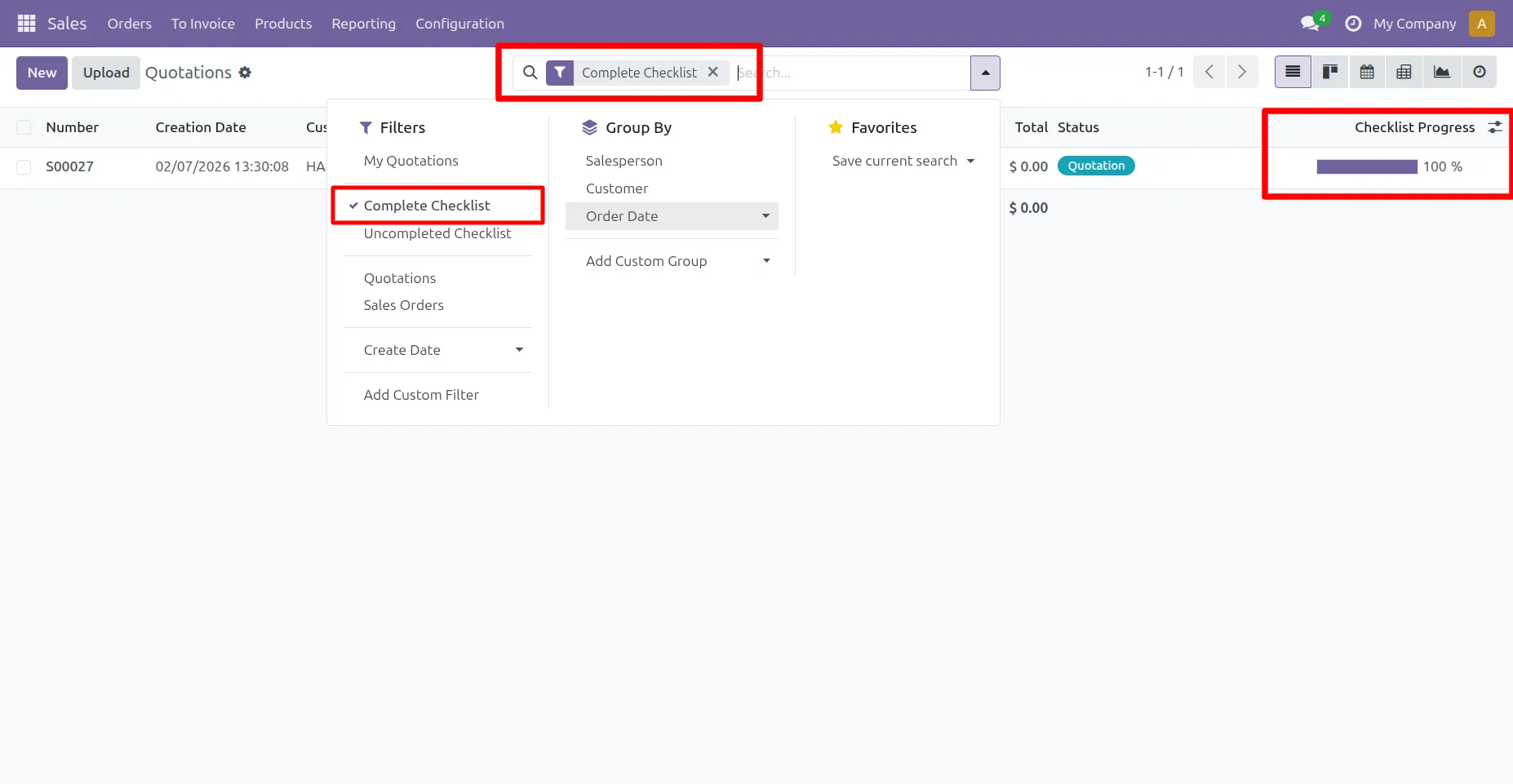
14. Complete Checklist Filter :
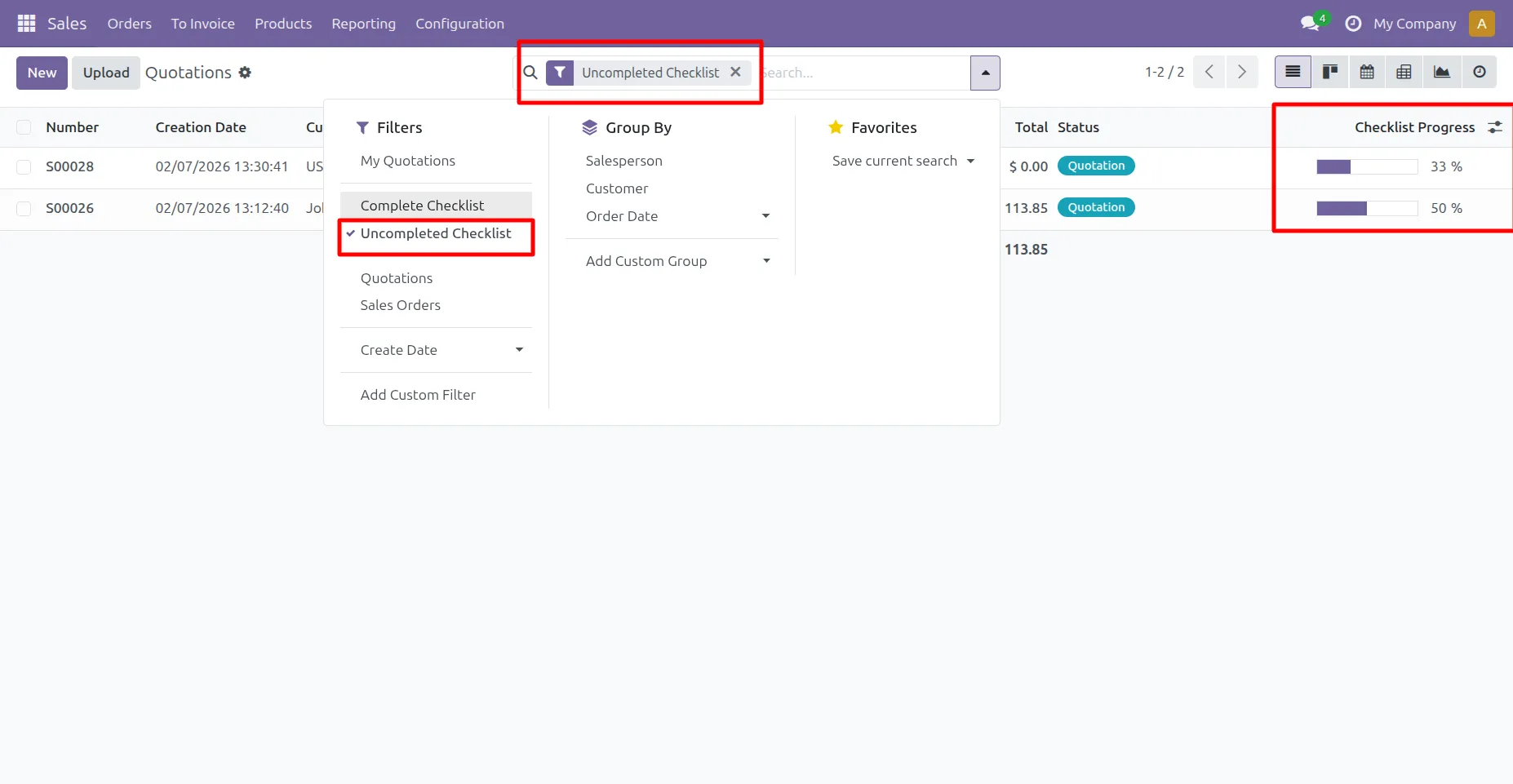
15. Uncomplete Checklist Filter :
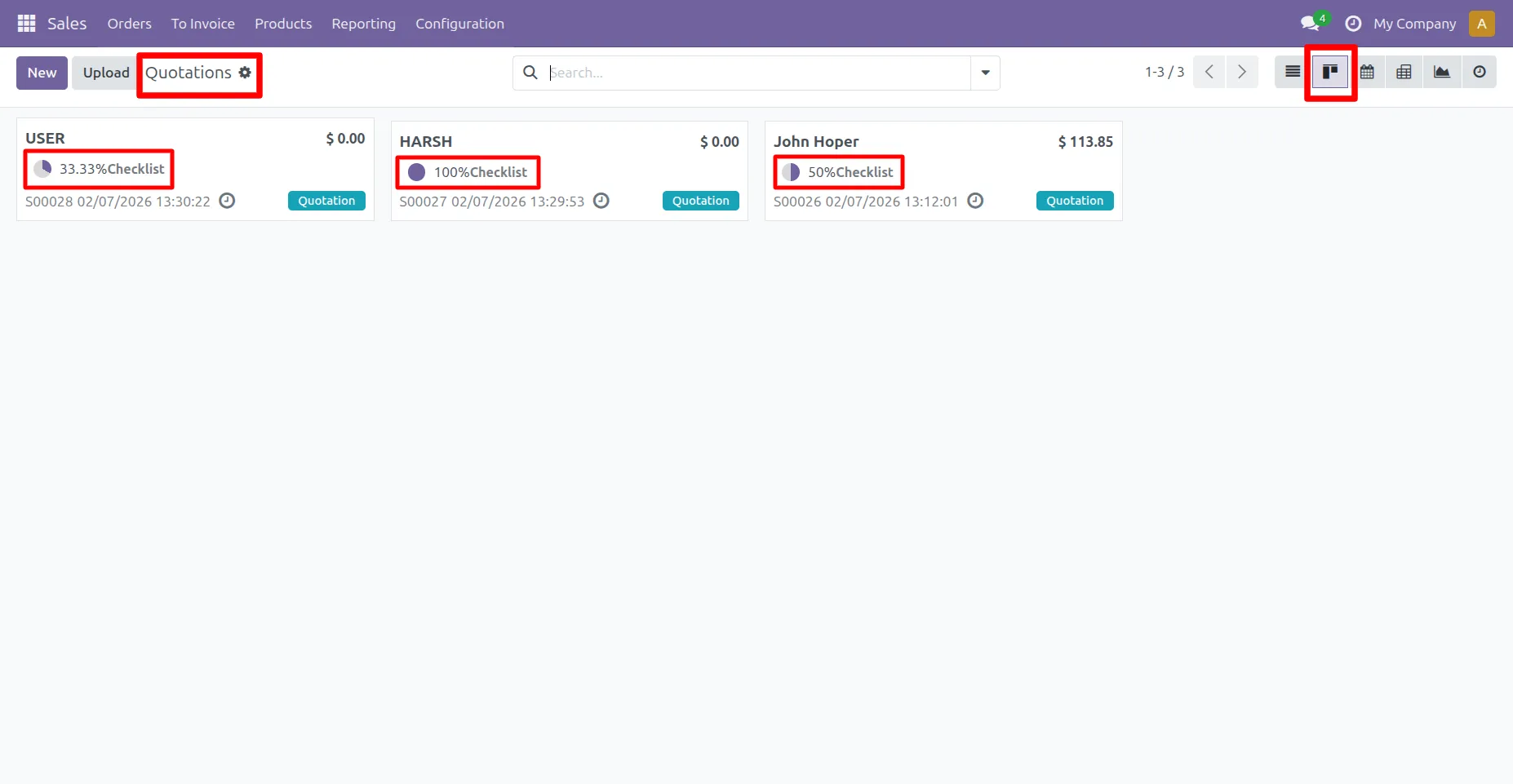
16. Go o Sale -> User can see checklist progress percentage in Kanban view.
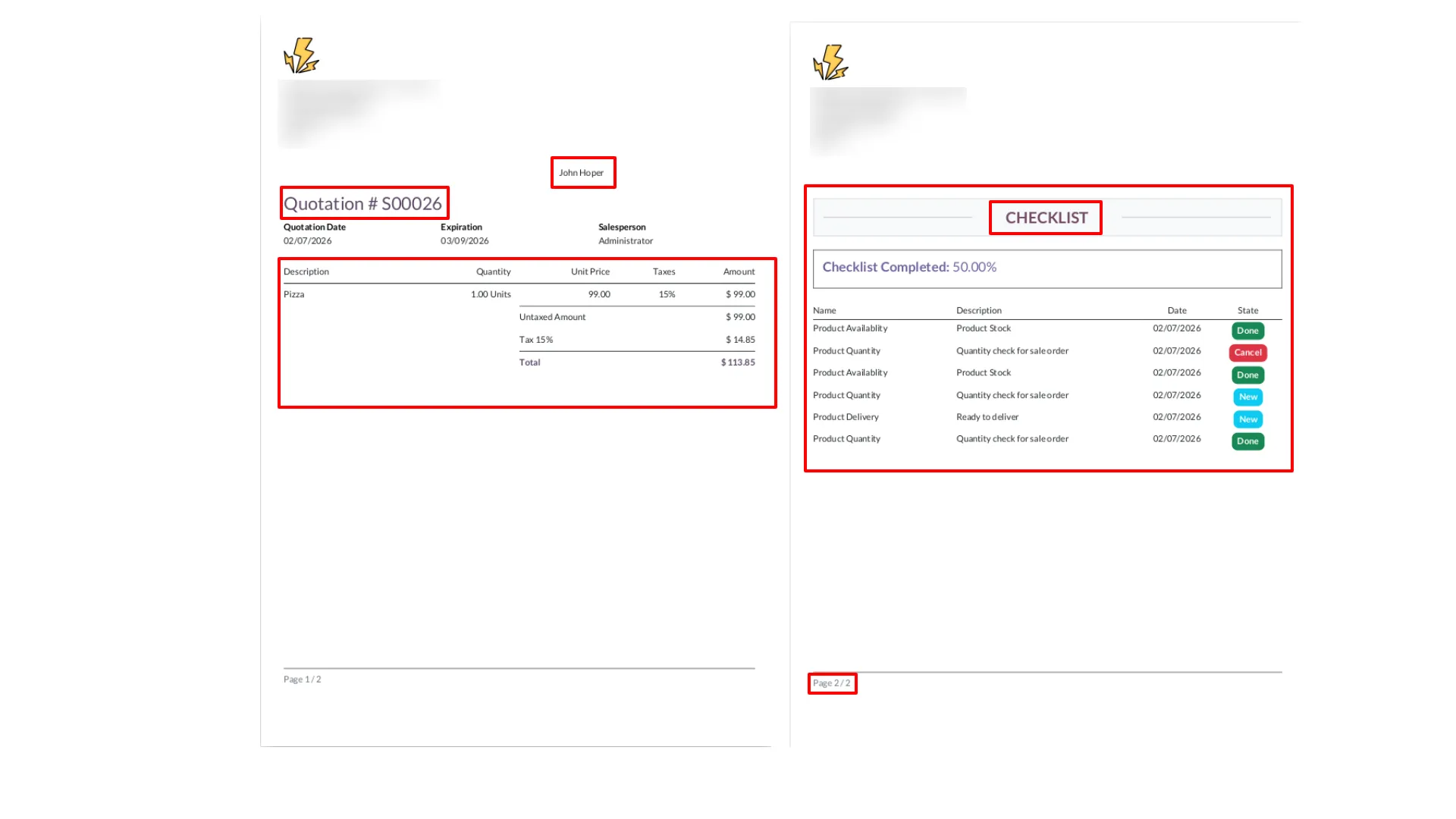
17. Checklist report looks like this.
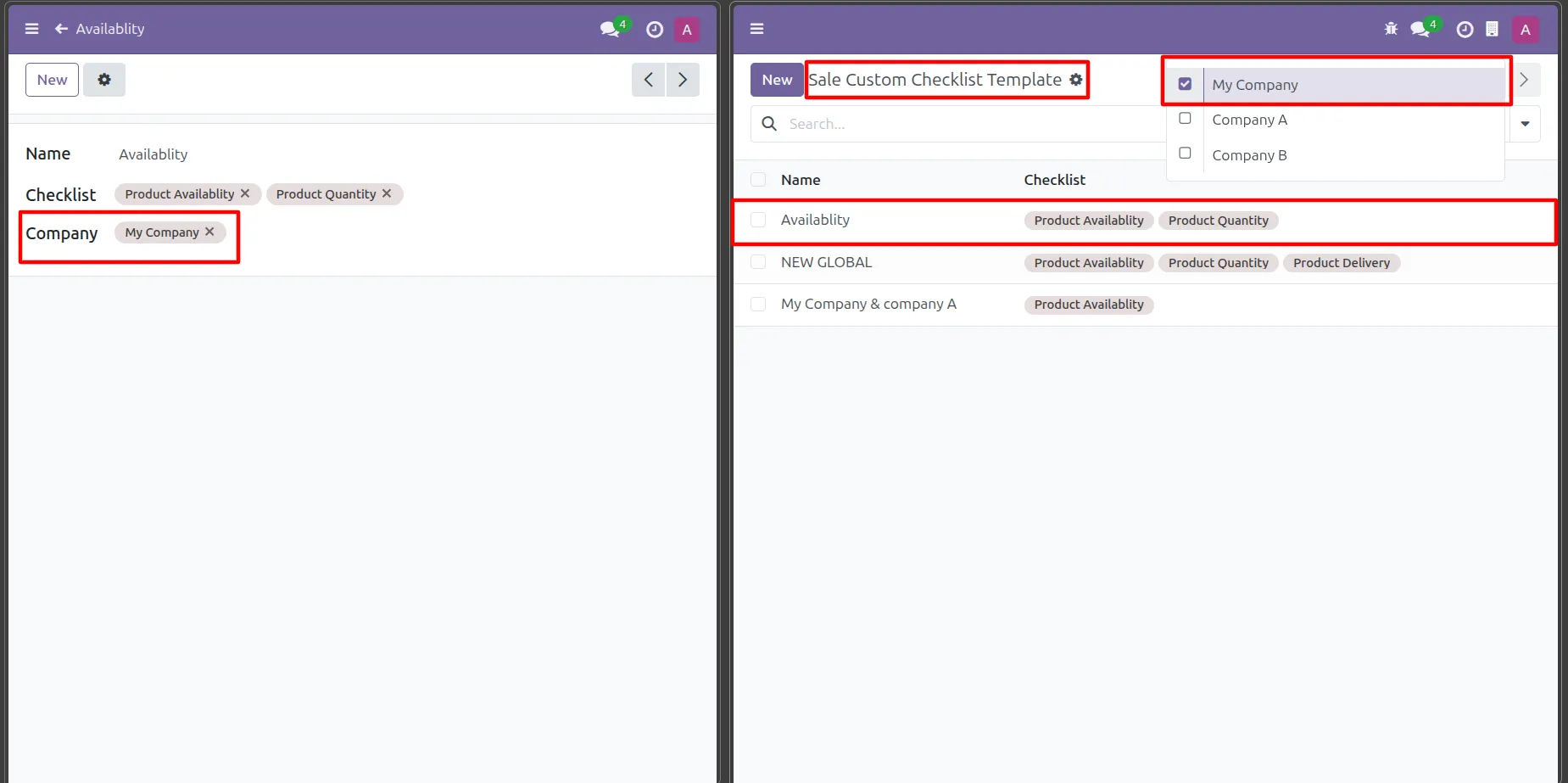
18. While creating a checklist template, if a company is selected, the template will be visible only within company that.
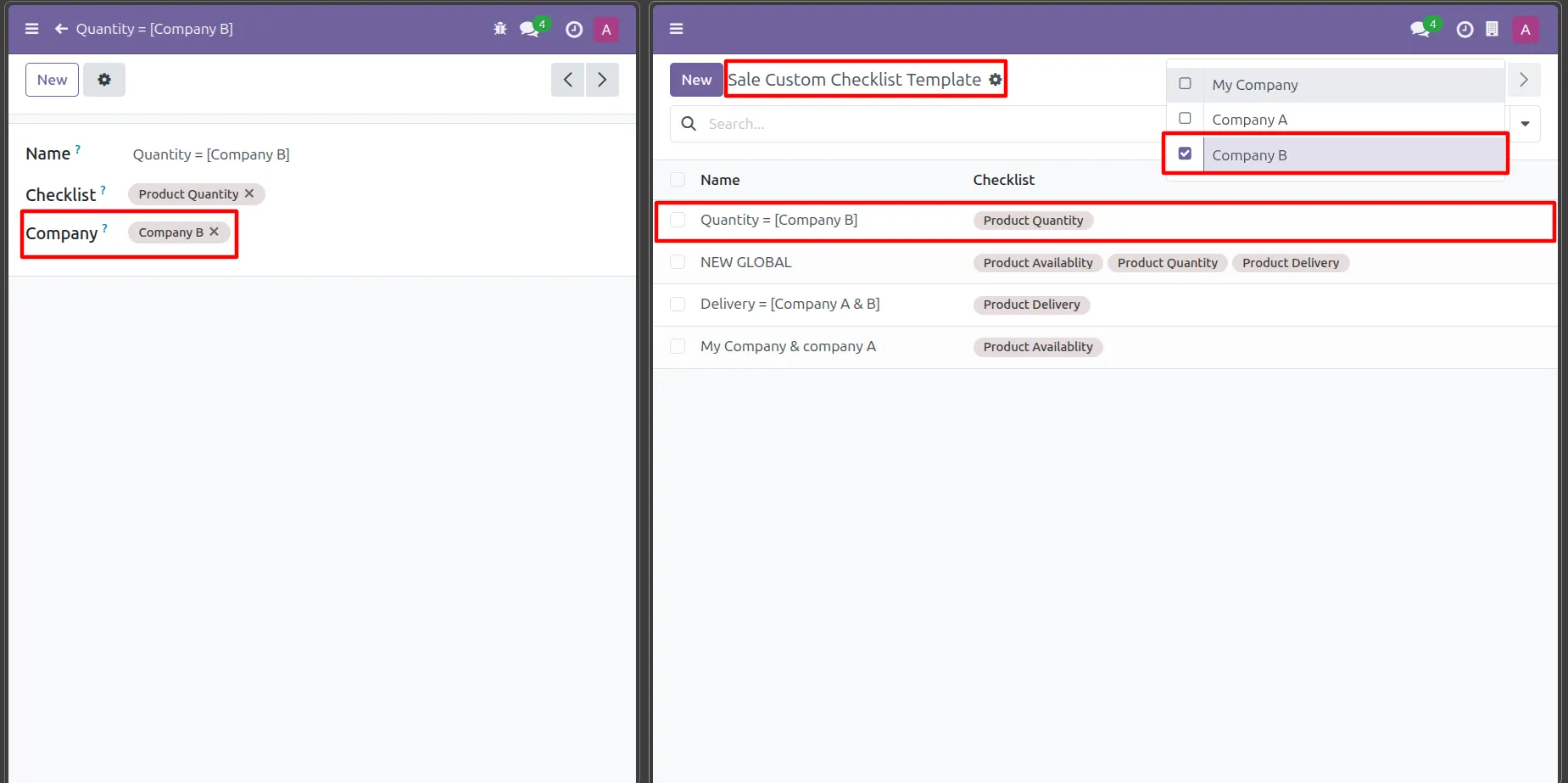
19. Select a company to make the template available only for that selected company.
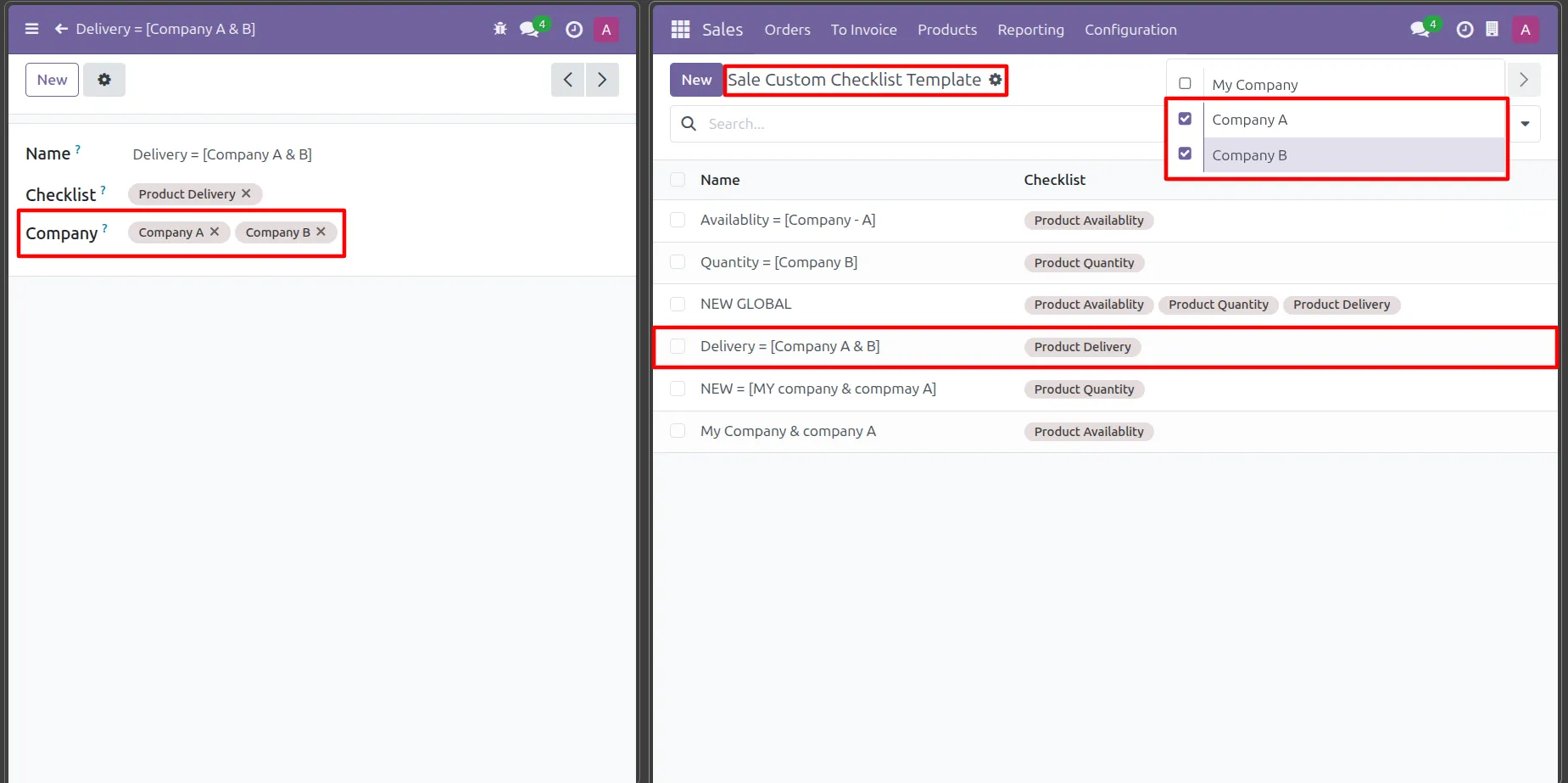
20. When multiple companies are assigned, the template is accessible only within those selected companies.
Frequently Asked Questions - Odoo Sale Order Checklist
What is Odoo Sale Order Checklist Module?
Odoo Sale Order Checklist Module allows you to create and manage checklists for sales orders and quotations to ensure all steps are completed before confirmation.
Can I create a checklist for quotation in Odoo?
Yes, this module supports creating and attaching checklists directly to quotations and sales orders in Odoo.
How does checklist for sale order in Odoo work?
You can create templates and attach them to sales orders. Tasks can be tracked and marked as complete in real time.
Is this Odoo sales checklist module useful for teams?
Yes, it helps teams follow a structured workflow, reduce errors, and ensure no important step is missed.
Can I use this module in a multi-company setup?
Yes, the module supports multi-company functionality with proper access control and data separation.
Our solutions focus on your problems
- Odoo Implementation
- Odoo Customization
- ERP Development and Implementation
- Odoo Ipass Cloud
- AI for Odoo
- Odoo Apps
- Aws Marketplace Products
- Business Engines
Our Pricing includes User Manual, 90 Days Support (Monday-Friday 10am to 7pm IST) and One time Setup
• Works & tested on standard installations of Odoo with no third party apps,
• Free support only for odoo installations with no third party apps,
• Paid support available for Odoo installations with third party apps.

Prefortune is a Odoo Official Partner, Odoo Development company. Our philosophy is to use Open Source tools and technologies to provide cost effective and green solutions for our customers.
Prefortune Technologies LLP is working on web development, Mobile development, and Odoo ERP.
If you need any help or want more additional features, you may contact us through:
Alternative Products
These other products might interest you